
Description
[ad_1]
⚠️ IMPORTANT NOTICE
We’re currently upgrading our hosting services to serve you better!
The usual support email (support@creatantech.com) may be temporarily unavailable.
For any support queries, please use our temporary support email: creatantech@gmail.com
✅ Thank you for your patience and understanding!

Overview
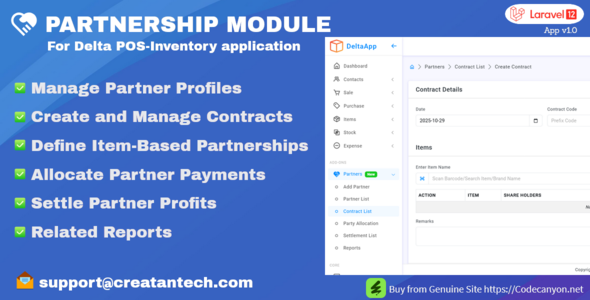
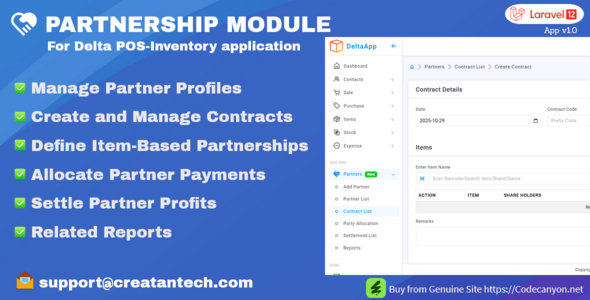
Enhance your Delta POS system with the Partnership Module — a powerful add-on designed to manage business partners, contracts, and profit-sharing seamlessly within your POS.
Whether you work with investment partners, shared product ownership, or revenue-based partnerships, this module automates profit calculations, allows easy settlements, and generates detailed partner reports.
Developed using Laravel 12, Bootstrap 5, jQuery, MySQL, and PHP 8.2+, this module is reliable, performance-optimized, and suitable for both small businesses and large enterprises.
Key Features
- ✅ Partner Management: Add and manage partners with detailed information and profit margin(in percentage).
- ✅ Partner Contracts: Contract have a item wise profit distribution.
- ✅ Item Partnership Allocation: Assign items to specific partners for profit-sharing.
- ✅ Profit & Loss Tracking: Automatically calculate partner profits from sales and purchase transactions.
- ✅ Partner Payment Allocation: Distribute party payments and opening balance to partners
- ✅ Settlement Reports: Generate professional partner profit/loss reports with one click.
- ✅ Easy Integration: Simple ZIP upload and installation via the Delta POS module manager.
- ✅ Permission Ready: Fully integrated with Delta POS user roles and access control.
- ✅ Responsive Design: Built with Bootstrap 5 for modern, mobile-friendly UI.
Use Case Examples
- Retail shops with investment partners
- Mobile or electronics stores with product-based partnerships
- Pharmacy or grocery businesses with shared ownership
- Agencies managing shared revenue and profit splits
⚙️ Requirements
- Installed Delta POS main application (latest version >= 2.6)
- ️ PHP 8.2+
- MySQL Database
- ️ Server must have the PHP ZIP extension enabled (required for module upload and extraction)
Installation Steps
- Login as a Admin Role
- Go to Sidebar → Modules in Delta POS.
- Upload the Partnership Module ZIP file.
- Click Install Module.
- Configure permissions and start managing partners!
Demo Access
Live Demo: https://delta.creatantech.com/
Email: admin@example.com
Password: 12345678
Documentation
User Guide & Documentation: https://delta.creatantech.com/partnership-module/
Support
Need help or customization?
Contact: support@creatantech.com
[ad_2]
Source