

Description
[ad_1]
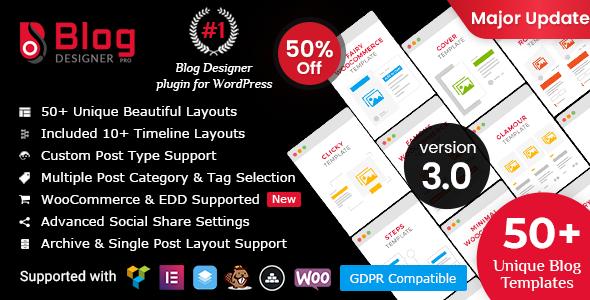


Plugin Perancang Blog PRO WordPress
Blog Designer adalah cara yang efektif dan ramah pengguna untuk mempercantik halaman blog Anda di situs web Anda. Ini adalah plugin yang sangat populer untuk blog WordPress situs web untuk menarik lebih banyak klien serta lebih banyak pengunjung blog. Blog Designer membuat bagian blog Anda lebih intuitif tanpa keahlian coding. Sangat mudah dikelola untuk pemula hingga pengembang situs web.
Plugin desainer blog dibundel dengan 50 template yang dirancang dengan tepat untuk berbagai kategori dan kami akan terus menambahkan lebih banyak di versi mendatang.
Jika Anda mencari desain arsip kategori/tag maka Blog Designer adalah solusi terbaik untuk Anda yang belum pernah Anda lihat di atas.
Setiap template blog berisi sejumlah opsi untuk mengelola gaya dan desain blog Anda seperti warna, gaya font, keluarga font, dll.
Di mana plugin Blog Designer Pro berguna?
Plugin Blog Designer berguna untuk semua situs WordPress. Di bawah ini adalah satu daftar kecil untuk tujuan mana Anda dapat mulai menggunakan plugin Blog Designer WordPress.
- Situs Web Blogging
- Bagian baru dari situs web.
- Berbagi ide Bisnis & Teknologi
- Kisah perusahaan Anda (garis waktu)
- Etalase ringkasan acara (garis waktu)
- Prestasi saya (garis waktu)
- Biografi penulis (garis waktu)
- Pembaruan produk baru perusahaan
- Panduan tutorial langkah demi langkah
- Situs web blog mode
- Blog tren terbaru
- Blog Bisnis & Kewirausahaan
- Situs web LSM untuk berbagi berita/pembaruan
- Situs blog pribadi
- Presentasi Portofolio (Kisi)
- Tampilkan postingan dengan slideshow (slider)
- Untuk menampilkan posting kategori yang berbeda dengan desain yang berbeda
- Situs web e-niaga
Bagaimana cara memulai dengan Blog Designer PRO?
Jelajahi langkah-langkah untuk memulai perjalanan dengan Blog Designer PRO
01 Lihat demo langsung
Kami telah menerapkan demo untuk setiap template blog dan satu halaman desain blog di situs web demo.
02 Instal plugin
Unduh file zip plugin, ekstrak ke drive lokal Anda dan pilih file zip plugin (blog-designer-pro.zip) untuk pilihan ‘Unggah Plugin’ lalu Instal dan Aktifkan Blog Designer PRO dari area admin.
03 Pilih tata letak & pilih halaman blog
Pilih tata letak blog favorit Anda dan atur desain baru ke halaman blog Anda dengan semua persyaratan yang sesuai dan “Simpan Perubahan” untuk mengajukan permohonan front-end.
04 Selamat pengunjung blog
Dapatkan lebih banyak pengunjung blog dengan desain sederhana dan mengagumkan. Tidak diperlukan keahlian coding untuk mengubah template blog. Pemula juga bisa melakukan hal itu. Nikmati dengan Desainer Blog PRO 
50 templat yang dirancang dengan tepat
Kami telah mengkategorikan semua template blog kami untuk Anda yang mungkin membantu Anda memilih yang benar. Anda dapat menggunakan pengaturan default untuk setiap template atau memodifikasinya sesuai kebutuhan Anda.
Tata Letak Kotak
Brit Co,
berbentuk kotak,
Bersih berbentuk kotak,
Bab,
Mengeksplorasi,
Terkenal,
Mempesona,
melayang-layang,
Balikkan Grid,
Jaringan Media,
Minimal,
Glosarium,
persegi panjang,
Blok Bijaksana
Tata Letak Tampilan Kotak
Bab,
Elina,
angin sepoi-sepoi,
Mengasah,
Buku harianku,
Wilayah,
Musim dingin
Tata Letak Batu
berbentuk kotak,
Glosarium,
Garis Waktu Masonary,
persegi panjang,
melayang-layang
Tata Letak Lebar Penuh
Inggris,
Klasik,
klik,
Menutupi,
Elina,
Evolusi,
Peri,
Kotak Makanan,
Pusat,
angin sepoi-sepoi,
Keajaiban,
Buku harianku,
Blok rapi,
bagus,
Menawarkan,
Cukup,
Wilayah,
Jadwal,
Mengasah,
Blok lunak,
Spektrum,
Tagly,
Musim dingin
Tata Letak Surat Kabar
Mengusir,
Garis Waktu Masonary,
Navia,
Berita
Tata Letak Garis Waktu
Garis Waktu Horisontal yang Keren,
Garis Waktu Mudah,
Garis Waktu Masonary,
Garis Waktu Horisontal Hamparan,
Garis Waktu Langkah,
Garis Waktu Sederhana/Vertikal,
Garis Waktu Cerita
Tata Letak Cerita
Mengusir,
Buku harianku,
Garis Waktu Cerita,
Garis Waktu Masonary
Tata Letak Geser
Horisontal keren,
Krayon,
Hamparan horizontal,
Sallet,
Penggeser Cerah
Apa yang membuat Blog Designer PRO Luar Biasa?
10 Alasan Memilih Desainer Blog PRO
1. Template Blog Sepenuhnya Responsif
Template sepenuhnya responsif dengan perangkat apa pun seperti ponsel cerdas, tablet, iPad, laptop, desktop, dll.
2. Kompatibilitas Lintas Browser
Template kompatibel dengan semua browser utama seperti Firefox, Chrome, Opera, safari, dll.
3. Dukungan Jenis Pos Kustom
Atur desain template blog untuk jenis posting kustom Anda juga.
4. Pratinjau Tata Letak Blog
Pratinjau gaya atau desain tata letak sebelum menerbitkannya di front-end.
5. Impor & Ekspor Tata Letak Blog
Impor & ekspor tata letak favorit Anda kapan saja dan gunakan kembali dengan situs web lain dengan mudah.
6. Opsi Tata Letak Arsip & Posting Tunggal
Semua jenis arsip seperti kategori/tag/tanggal atau penulis & opsi desain pos tunggal tersedia.
7. Pagination dengan memuat lebih banyak
4 Jenis pagination yang berbeda tersedia – No Pagination, Paged, Load More dan Load on Page Scroll.
8. Berbagi Sosial Populer bawaan
Tombol berbagi sosial bawaan pada setiap pos dengan jumlah berbagi. Tidak perlu menginstal/mengaktifkan plugin lain untuk tombol berbagi sosial. Berbagi WhatsApp juga ditambahkan untuk pengguna ponsel.
9. Dukungan Font Google
Tingkatkan desain halaman blog Anda dengan 800+ dukungan Google Font. Pindahkan gaya halaman blog Anda ke gaya situs web dengan mudah melalui koleksi font yang besar.
10. Gaya dan Pengaturan Default
Setiap template berisi gaya & pengaturan default dengan desain sendiri. Tidak perlu khawatir jika Anda tidak memiliki banyak pengetahuan tentang desain.
Fitur berguna lainnya:
1. 50 Tata Letak Arsip
Ada 50 tata letak arsip yang berbeda dan unik untuk kategori, tag, penulis, dan halaman tanggal Anda.
2. 46 Tata Letak Tunggal
Ada 46 tata letak artikel tunggal yang berbeda dan unik. Itu akan berlaku sama untuk semua halaman artikel.
3. Tata Letak Duplikat
Opsi untuk menduplikasi tata letak blog favorit Anda termasuk pengaturannya.
4. Impor/Ekspor Blog dan Tata Letak Arsip
Impor atau Ekspor Blog, Arsip, dan Tata Letak Tunggal Anda dengan mudah kapan saja untuk situs web Anda berikutnya atau penggunaan di masa mendatang.
5. Tampilkan/Sembunyikan bidang meta pos
Kelola meta pos dari pos menggunakan opsi tampilkan/sembunyikan dengan setiap tata letak blog.
6. Filter dengan Kategori & tag
Kategori dan filtrasi bijak dari posting Anda.
7. Kecualikan Kategori & Tag yang dipilih
Ingin mengecualikan kategori & tag yang dipilih dari loop posting.
8. Fitur Suka Posting untuk Pemirsa Blog
Pemirsa Blog Anda dapat menyukai posting Anda dari daftar untuk meningkatkan minat dengan halaman blog Anda.
9. Beragam Pengaturan Judul Postingan dan Konten Posting
Kelola judul posting dan desain konten posting menggunakan sejumlah opsi seperti ukuran font, font-family, warna, dll.
10. Dukungan “Baca Selengkapnya” khusus
Atur kustom Anda membaca lebih banyak teks, warna, warna latar belakang, dll.
11. Dukungan CSS Kustom
Dukungan CSS Kustom untuk mengganti gaya template default.
12. Opsi Pemilihan Konten
Tampilkan konten blog Anda dari Konten Postingan atau Posting Kutipan.
13. Ubah panjang Konten
Kelola panjang konten posting menggunakan pengaturan konten.
14. Postingan Blog Dipesan oleh
Urutkan urutan posting blog Anda berdasarkan Acak, ID Posting, Judul Posting, Tanggal Terbit, Tanggal Modifikasi, dll.
15. Ruang Kolom Kotak Blog untuk Tata Letak Kotak
Dapat mengelola jarak/margin Grid antara loop posting untuk frontend.
16. Berbagi Pinterest untuk Posting Gambar Unggulan
Bagikan gambar unggulan pos menggunakan opsi berbagi pinterest.
17. Dukungan Posting Terkait dengan Posting Tunggal
Tampilkan postingan terkait dengan kolom 2/3/4/5/6 dengan halaman postingan tunggal berdasarkan kategori atau tag.
18. Sebelumnya/Berikutnya dengan Postingan Tunggal
Tampilkan opsi posting sebelumnya/berikutnya pada tata letak posting tunggal.
19. Desain Tata Letak Kategori/tag
Pengaturan tata letak individual untuk kategori dan tag individual.
20. Aktifkan/Nonaktifkan tautan di Judul Posting
Tangani aktifkan atau nonaktifkan tautan judul posting untuk front-end.
21. Penggantian Tata Letak Posting Tunggal
Satu klik fitur menimpa file tata letak posting tunggal karena Anda dapat menghiasnya dengan kebutuhan Anda.
22. Bagikan Teks dalam Satu Posting
Tambahkan teks Bagikan di halaman posting tunggal untuk UI yang lebih baik.
23. Tindakan dan Filter untuk Pengembang
Menggunakan tindakan dan pengembang filter dapat menambah atau memodifikasi output.
24. Posting Slide
Menggunakan Posting Slide Anda dapat menggeser posting Anda di slider indah kami menggunakan posting berdasarkan kategori, tag, atau penulis.
25. Tata Letak Posting Tunggal berdasarkan kategori/tag
Bedakan tata letak posting tunggal Anda untuk kategori dan tag yang berbeda.
Penulis dan Pengembang Tema? ThemeForest atau di tempat lain
Tambahkan plugin Blog Designer PRO di tema Anda dan berikan banyak fitur kepada pengguna Anda untuk meningkatkan presentasi Blog. Yang Anda butuhkan hanyalah SATU lisensi tambahan untuk setiap tema yang Anda masukkan ke pasar dan izin dari penulis yang bisa Anda dapatkan dengan menulis kepada kami: https://themeforest.net/user/solwin#contact
Terjemahan/Lokalisasi
Plugin ini siap untuk Lokalisasi/Internasionalisasi. Ini mengikuti standar WordPress I18n. Itu dapat dengan mudah diterjemahkan atau dilokalkan dalam bahasa lain selain bahasa Inggris.
TERJEMAHAN SIAP
File .pot disertakan, untuk terjemahan yang mudah
Saran perbaikan
Jika Anda memiliki saran tentang cara meningkatkan item ini, beri tahu kami! Kami akan dengan senang hati mempertimbangkan saran apa pun dan menghargai upaya Anda. Kami akan memeriksa semua umpan balik Anda setiap minggu dan memilih fitur yang paling banyak diminta untuk disertakan dalam pembaruan di masa mendatang!
Hubungi kami Di Sini
Changelog
20 Juli 2021 (Versi3.2)
* Added: Same height option for blog and archive layouts
* Updated: Make compatible with WordPress version 5.8
* Fixed: Isotop Parent Category
* Fixed: Minor bug fix
13 Maret 2021 (Versi 3.1)
* Updated: Make compatible with WordPress version 5.7
* Fixed: Minor bug fix
22 Februari 2021 (Versi 3.0)
* Added: Optimize Code
* Updated: Make compatible with PHP version 8.0
* Updated: Make compatible with WordPress version 5.6.1
* Fixed: Minor bug fix
11 Februari 2021 (Versi 2.7.7)
* Fixed: Minor bug fix
25 Desember 2020 (Versi 2.7.6)
* Added: New Blog Template - "Quci" in Grid Blog Template Category
* Added: New Blog Template - "Pedal" in Full Width Blog Template Category
* Added: Multiple selection box for post status filter
* Updated: Load users, posts in drop-down using ajax
* Fixed: Design issues
14 Desember 2020 (Versi 2.7.5)
* Updated: Make compatible with WordPress version 5.6
* Fixed: Minor bug fix regarding email share
27 Agustus 2020 (Versi 2.7.4)
* Added: New Blog Template - "Tabbed" in Full Width Blog Template Category
* Added: "Remove/add reply to email" option with email share
* Fixed: Font family issue with archive layouts
19 Agustus 2020 (Versi 2.7.3)
* Added: "Delete data on deletion of plugin" option
* Updated: Make compatible with WordPress version 5.5
* Fixed: Minor bug fix
6 Juli 2020 (Versi 2.7.2)
* Updated: Make compatible with WordPress version 5.4.2
* Fixed: Minor bug fix
12 Mei 2020 (Versi 2.7.1)
* Fixed: Minor bug fix
26 Maret 2020 (Versi 2.7)
* Added: Easy Digital Download Plugin Support including archive and single page
* Added: Add more options with Related Posts in single post page
* Added: Added Sort by option at front side
* Updated: Make compatible with WordPress version 5.4
* Fixed: Display two times social media in Roctangle Archive Layout
* Fixed: Blog post Height issue in Wise block, Brit-co, Famous layout when multiple layout on same page
* Fixed: Categories, Tags and Date Filter front side issue
* Fixed: Duplicate single product layout issue
* Fixed: Crayon slider issue
* Fixed: Import layout issue
* Fixed: Design issues
* Fixed: Minor bug fix
19 September 2019 (Versi 2.6.4)
* Added: Social share media buttons position
* Added: Isotop filter design variations
* Updated: Make compatible with WordPress version 5.2.3
* Updated: Optimize plugin
* Fixed: Custom post type single page issue
10 Agustus 2019 (Versi 2.6.3)
* Fixed: Minor bug fix
9 Agustus 2019 (Versi 2.6.2)
* Fixed: Minor bug fix
2 Agustus 2019 (Versi 2.6.1)
* Fixed: Minor bug fix
30 Juli 2019 (Versi 2.6)
* Added: New Blog Template - "Foodbox" in Full Width Blog Template Category
* Added: New Blog Template - "Neaty Block" in Full Width Blog Template Category
* Added: New Blog Template - "Soft Block" in Full Width Blog Template Category
* Added: New Blog Template - "Wise Block" in Grid Blog Template Category
* Added: New Blog Template - "Schedule" in Full Width Template Category
* Added: Woocommerce Archive and Single Page Support
* Added: Advanced Custom Fields Plugin Support
* Updated: Removed Google Plus Share Option
* Updated: Removed Linkedin Share Count Option
* Fixed: Custom Post Type Layout issue
* Fixed: News Template Read More Design issue
* Fixed: Number of Offset issue
* Fixed: Email Share issue
* Fixed: Post format video and gallery support
* Fixed: Design issues
* Fixed: Minor bug fix
18 Februari 2019 (Versi 2.5)
* Added: WooCommerce Support
* Added: Isotop Filter Option on category and tags
* Added: Duplicate layout option for Archive layouts
* Added: Pagination Color Setting
* Added: Widget Title option
* Added: Post Title alignment option
* Added: Select Individual Post filter option
* Added: More options for Read More Button
* Fixed: Design issues
7 Desember 2018 (Versi 2.4)
* Updated: Make plugin compatible with Gutenberg
* Updated: Remove script from content if any
* Updated: Improved tooltip text
* Updated: Make backend compatible with popular themes
* Fixed: Design issues
31 Agustus 2018 (Versi 2.3)
* Added: filter option enable with boxy-clean template
* Updated: Optimize query
* Updated: Improve default design of templates
* Fixed: Solve issue with date archive
* Fixed: Solve font-awesome issues
23 Mei 2018 (Versi 2.2)
* Updated: Make compatible with WordPress 4.9.6
* Updated: Change in some text
* Updated: Update strings for localization
* Fixed: Make changes as per GDPR rules
2 April 2018 (Versi 2.1)
* Updated: Backend UI changes for better UX
* Fixed: Single post page, archive page and widget displaying blank screen in certain conditions
* Fixed: Pagination issue with custom permalink structure
* Fixed: Social share button conflicts with other third party libraries
26 Januari 2018 (Versi 2.0)
* Added: New Blog Template - "Clicky" in Full Width Blog Template Category
* Added: New Blog Template - "Cover" in Full Width Blog Template Category
* Added: New Blog Template - "Fairy" in Full Width Blog Template Category
* Added: New Blog Template - "Famous" in Grid Blog Template Category
* Added: New Blog Template - "Glamour" in Grid Blog Template Category
* Added: New Blog Template - "Minimal Grid" in Grid Blog Template Category
* Added: New Blog Template - "Roctangle" in Grid Blog Template Category
* Added: New Blog Template - "Steps" in Timeline Blog Template Category
* Added: New Blog Template - "Miracle" in Full Width Blog Template Category
* Added: Date format showcase option
* Added: New filter option - Post Status to choose posts from Publish, Pending, Private, etc.
* Added: Loader icon library with 28 icons to choose loader for 'Load More' pagination option
* Added: 6 New pagination templates library to choose your pagination style
* Added: Custom 'Read More' link option to target your other domain's blog
* Added: Option to showcase 'Publish Date' or 'Last Modified Date'
* Added: Support of 'Co-Authors Plus' plugin to showcase multiple authors with single post
* Updated: Google fonts collection updated to latest version
* Updated: Flex Slider library updated to latest version 2.6.4
* Updated: Choosen jQuery library updated to latest version 1.8.2
* Updated: Plugin text-domain changed to 'blog-designer-pro' to add support of "Loco Translate"
* Fixed: 'Display Filter for Tags' option not working with particular condition
* Fixed: 'Live Preview' issue with Archive Layouts
* Fixed: Designing issue resolved and updated design with better style by default
* Fixed: Search template not working in multi-site
10 Oktober 2017 (Versi 1.6.2)
* Added: Advanced filter options in between categories, tags and authors selection
* Added: Image hover effect options with featured images
* Added: Multiple Author Layouts support instead of fixed single author layout
* Added: Support for "Select Post Media Size" with Related Posts with single layout
* Added: New Admin Dashboard widget - "Most Viewed Posts"
* Added: Social share provider list with new "Digg" option
* Added: Template selection library updated with new "Template Search" option
* Fixed: Color schema minor issues
* Fixed: Design and responsive issues with single and blog templates
1 September 2017 (Versi 1.6.1)
* Fixed: New email sharing box coming with every pages
29 Agustus 2017 (Versi 1.6)
* Added: Image resize support for multisite
* Added: Widget option "Most Viewed Posts" with BDP-> Recent Post widget
* Added: RTL support for Layouts, Archive Layouts and Single Post Layouts including frontend design
* Added: Responsive options for grid blog templates
* Added: Skype social share button with social share library
* Added: Color settings option for Author data and Meta data
* Added: Easy to switch from 'free' to 'pro' version, using free version data
* Added: New email sharing concept with changing email content facility
* Updated: Slider template up to 6 columns, last time it was only up to 3 columns
* Updated: esc_url() function added with all social share links
* Updated: Third party libraries to latest version - Font Awesome, Flex Slider, etc.
* Updated: Backend settings panel made as sticky to switch on other settings easily without vertical scrolling
* Fixed: 'Read More' text settings not applying with Preview Screen mode
* Fixed: Media size settings not working in Multisite
* Fixed: Comment section design issue with nested level comments
21 Juni 2017 (Versi 1.5.2)
* Fixed: Design issues with single blog templates
* Fixed: Archive Layout Import functionality not working in multisite for date and author archive types
13 April 2017 (Versi 1.5.1)
* Added: New option for sticky post to calculate number of posts in loop
* Added: More hook options for User Activity Log plugin support
* Fixed: Issue of delete blog layouts and archive layouts with same id
* Fixed: Show/Hide issue with 'Title Settings' tab in Archive Layouts and 'Author Settings' tab in Single Layout
* Fixed: Live Preview not displaying with latest changes
* Fixed: Design and responsive issues with single and blog templates
17 Maret 2017 (Versi 1.5)
* Added: New UI for better User Interface
* Added: New Blog Template - "Pretty" in Full Width Section
* Added: New Blog Template - "Tagly" in Full Width Section
* Added: New Blog Template - "Brite" in Full Width Section
* Added: New Blog Template - "Chapter" in Full Width Section  Grid Type Blog Template
* Added: New Archive Type - Search Result
* Added: Plugin support for CPT, reCaptcha, Are you a human, Custom User Profile Photo, WP First Letter Avatar
* Added: Reddit social share options
* Updated: Media Grid Template with multiple column options
* Updated: Email body text changed for 'Share via mail' feature
* Updated: 'Related Posts' content feature to get content from Post Excerpt
* Fixed: Added null condition for font-family selection and front view
* Fixed: Multi-site Layout import issue
* Fixed: Removed H1 tag from loop and replaced it with H2 title tag
* Fixed: Pagination issue on front-end within Permalink Settings with & without '/'
* Fixed: Localization resolved for missing strings
* Fixed: Undefined variable issues with condition variables
12 Desember 2016 (Versi 1.4)
* Added: Sidebar widgets - Recent Posts
* Added: Crayon Slider Layout (NEW) in Blog & Archive
* Added: Sallet Slider Layout (NEW) in Blog & Archive
* Added: Sunshiny Slider Layout (NEW) in Blog & Archive
* Added: Template color preset for demo color of templates
* Added: Unlimited single post layout functionality
* Added: Import/export single layout
* Added: Custom read more setting panel in Blog Layouts
* Added: Posts selection based on date range in Blog Layout
* Added: Post order by author name and post like in Blog and Archive Layout
* Added: Author selection to get posts based on author in Blog Layout
* Added: Post views features in Single Post Layout
* Added: Media size selection functionality in Single Post Layout
* Added: 10 different social icon style in default social share
* Added: Pocket & Telegram Social share support
* Updated: Improve timeline template div structure
* Fixed: Solved issue in Load On Page Scroll
* Fixed: Whatsapp social share link sharing of post
* Fixed: Date filter issue with month  filter on next page
* Fixed: Timeline Blog Layout showing font-awesome fonts with default font-family
12 November 2016 (Versi 1.3.3.1)
* Fixed: Security issue reported by Wordfence plugin
28 Oktober 2016 (Versi 1.3.3)
* Added: Category and date filter option with News and Invert-Grid Layout
* Fixed: Author Box not displaying with News template
25 Oktober 2016 (Versi 1.3.2)
* Added: Media Settings Panel for image size selection (NEW)
* Added: Default Image selection option for all Blog and Archive Layouts (NEW)
* Added: Filtering options to filter the posts based on category & month - Cool Horizontal and Overlay Horizontal Timeline Layout (NEW)
* Added: Margin/Spacing option in Cool Horizontal and Overlay Horizontal Timeline Layout (NEW)
* Added: Option to set Featured Image with center Time line in Timeline Layout (NEW)
* Added: Option to set Featured image as background image with Timeline items in Timeline Layout (NEW)
* Added: Image Resize option for selected Blog and Archive Layouts (NEW)
* Added: Link/Unlink option for Author, Categories, Tags, Featured Image, Date and Comments (NEW)
* Added: Page Builder Support for Aqua Page Builder, Beaver Builder Lite Version, Elementor, Siteorigin Panels and WR Pagebuilder
* Added: Hook when Create, Edit and Delete Layouts with Blog, Archive and Single Layouts. Useful for developers
* Added: Blog Designer widget to put your favorite any sidebar area
* Fixed: Default font-family selection issue
* Fixed: Responsive issue solve in single Post page
* Fixed: Social share buttons conflicting class name with other plugins
* Fixed: Resolve designing issues when user selecting Custom Post Types instead of Default Posts
26 September 2016 (Versi 1.3.1)
* Fixed: Solved debug warning issue.
26 September 2016 (Versi 1.3)
* Added: Masonry Timeline Layout (NEW)
* Added: Hoverbic Grid Layout (NEW)
* Added: Explore Grid Layout (NEW)
* Added: My Diary Layout (NEW)
* Added: Elina Layout (NEW)
* Added: Post Title and Post Content Style Options
* Added: Inbuilt Google font-family option instead of manual adding
* Added: Post Like feature to like post for viewers
* Added: Random option for Posts Order by
* Added: Social Icon size option - Extra Small
* Updated: Story Layout with Featured Image Support
* Updated: Post Title and Post Content font-size option with new UI
* Fixed: Solved issue of plugin conflicting with WP SEO Wizard & BE Page Builder
24 Agustus 2016 (Versi 1.2)
* Added: Cool Horizontal Timeline Layout (NEW)
* Added: Overlay Horizontal Timeline Layout (NEW)
* Added: Easy Timeline Layout (NEW)
* Added: Story Timeline Layout (NEW)
* Added: Left and right side layout options in Timeline template
* Added: Year and month selection options in Timeline template
* Added: New Pagination Type : Load on Page Scroll
* Added: Single Template override option to implement with any themes
* Added: WhatsApp share option in social share settings for mobile view
* Updated: Back-end UI for better User Experience
* Updated: Ask to save layout when move away from Blog Designer Admin Panel
* Fixed: Solved issue of font for post title
* Fixed: Solved issue of class conflict.
30 Juli 2016 (Versi 1.1.3)
* Added: Support of include/exclude categories and tags with loop
* Fixed: Visual Composer Support Fix
31 Mei 2016 (Versi 1.1.2)
* Fixed: Prev-Next button missing in single post layout with deport template
* Fixed: Read More button, pagination design issue with classical, invert-grid, media-grid and boxy clean template
* Fixed: Category/Tags filter not working with News templates
* Fixed: Comment count issue with lightbreeze template
16 April 2016 (Versi 1.1.1)
* Added: More security to get return values of all Blog Designer functions
* Fixed: Plugin compatibility issue with page builder and Divi Builder like plugins
22 Maret 2016 (Versi 1.1.0)
* Added: Archive pages support like author page, category page, date archive page and tag page
* Added: Google font support with better UX
* Added: Single page support compatible with all the templates
* Added: Enable/Disable post title link support
* Added: Actions/hook for single post pagination
* Updated: Import/Export layout settings of archive templates and blog templates
* Updated: Modify translation texts
* Fixed: Sorting with post id conflict fix
10 Februari 2016 (Versi 1.0.0)
* Initial release
Kredit:
Catatan: Media, Foto, video apa pun yang digunakan dalam pratinjau tidak termasuk dalam item ini dan Anda perlu menghubungi penulis untuk mendapatkan izin jika Anda ingin menggunakannya dalam proyek komersial atau non-komersial Anda.
- Terpilih – Terpilih adalah plugin jQuery yang membuat kotak pilih yang panjang dan berat menjadi lebih ramah pengguna.
- SocialShare.js – plugin jQuery untuk membuat tombol seperti kustom dan penghitung suka.
- FlexSlider – Plugin slider jQuery yang luar biasa dan sepenuhnya responsif.
- Aristo – Tema “Aristo” untuk Cappuccino di-porting ke Tema UI jQuery.
- Font Awesome – Font ikonik dan toolkit CSS.
[ad_2]
Source