
Description
[ad_1]

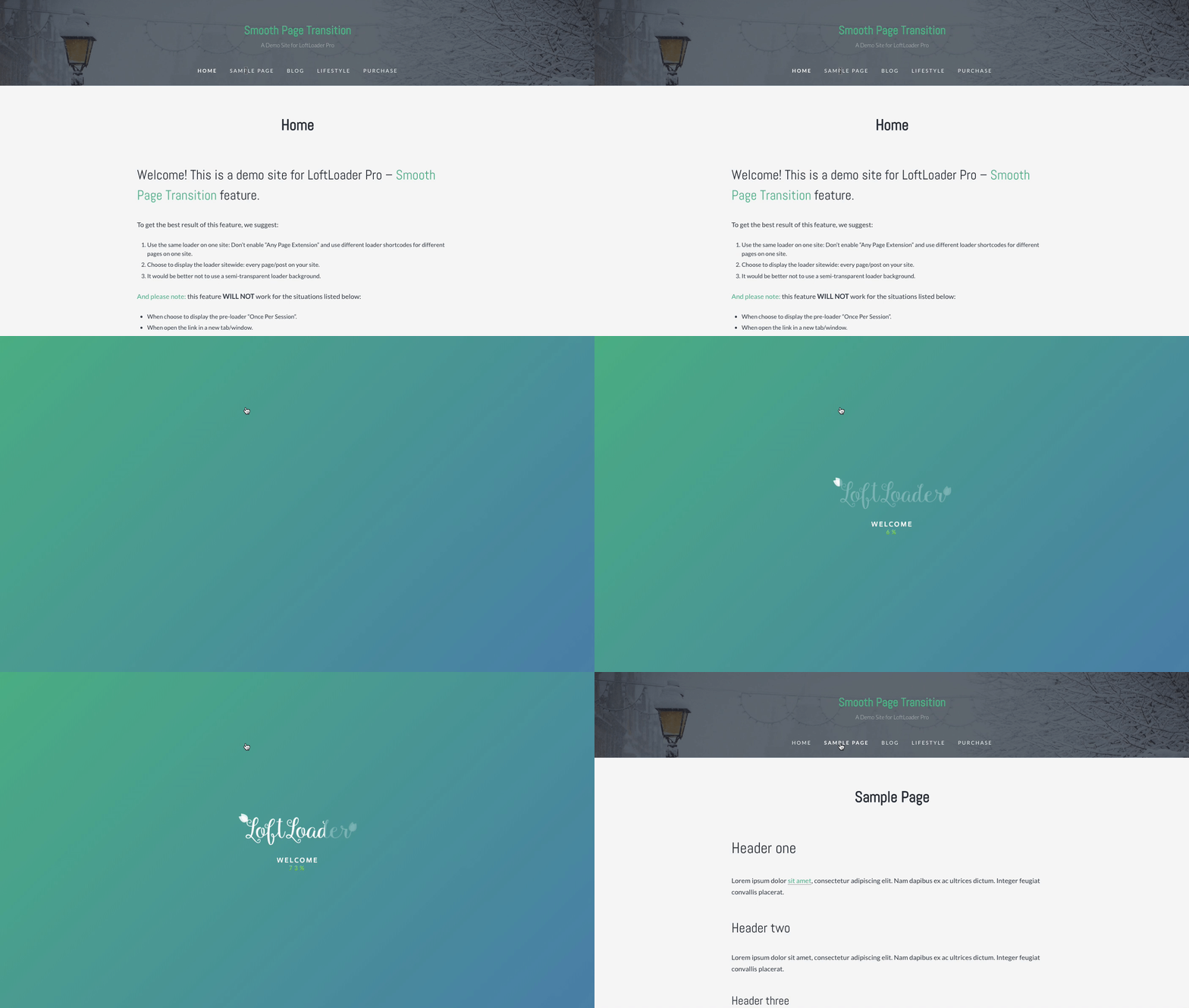
Pratinjau Fitur – Transisi Halaman Halus (Periksa Demo)
Demo Baru
Fitur baru – Animasi pemuat baru, animasi penutup baru.
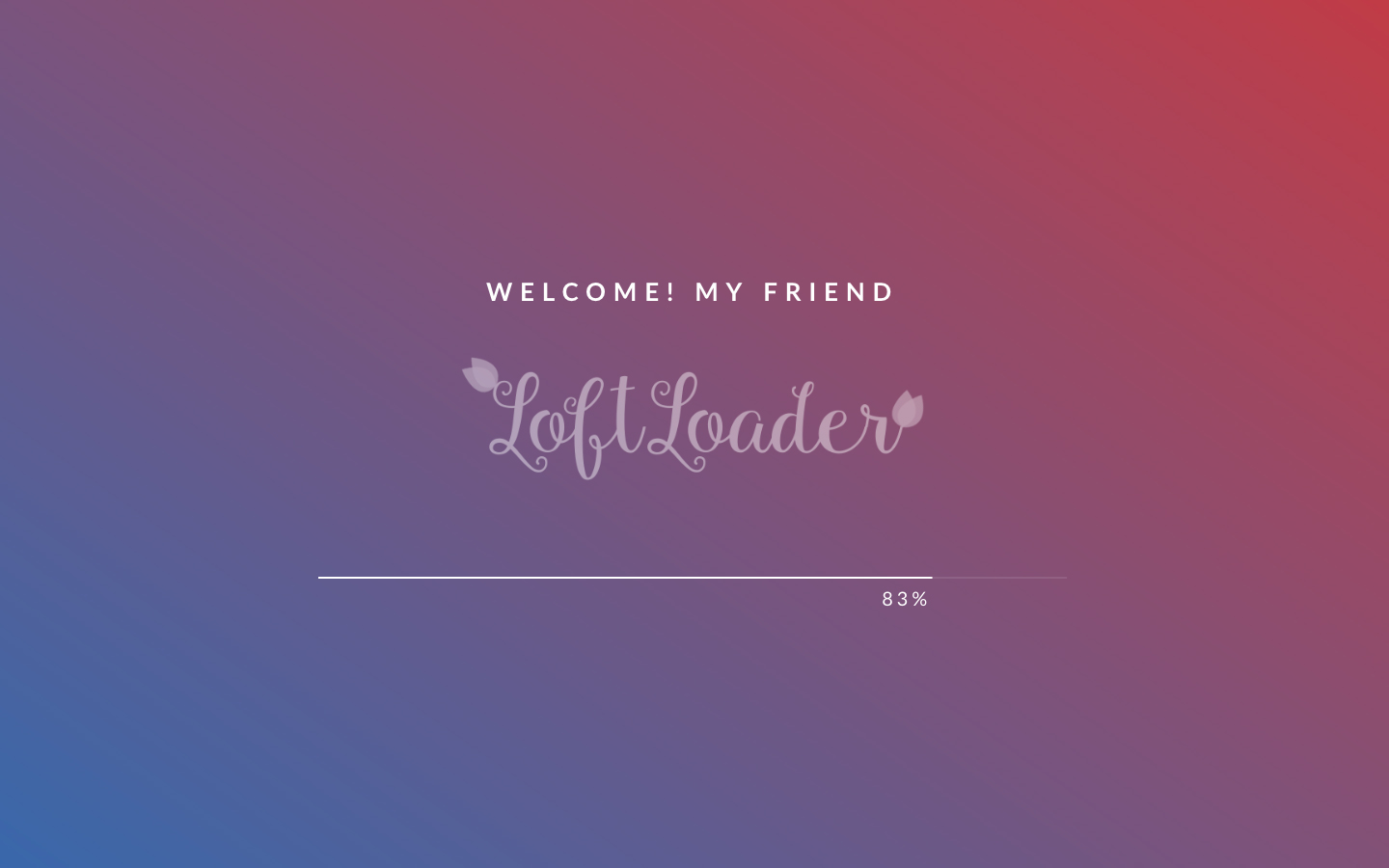
Fitur baru – Animasi pemuat baru, animasi penutup baru, dan bilah kemajuan tampilan dengan angka penghitungan. Dan, Pesan Acak ditampilkan setiap kali halaman dimuat.
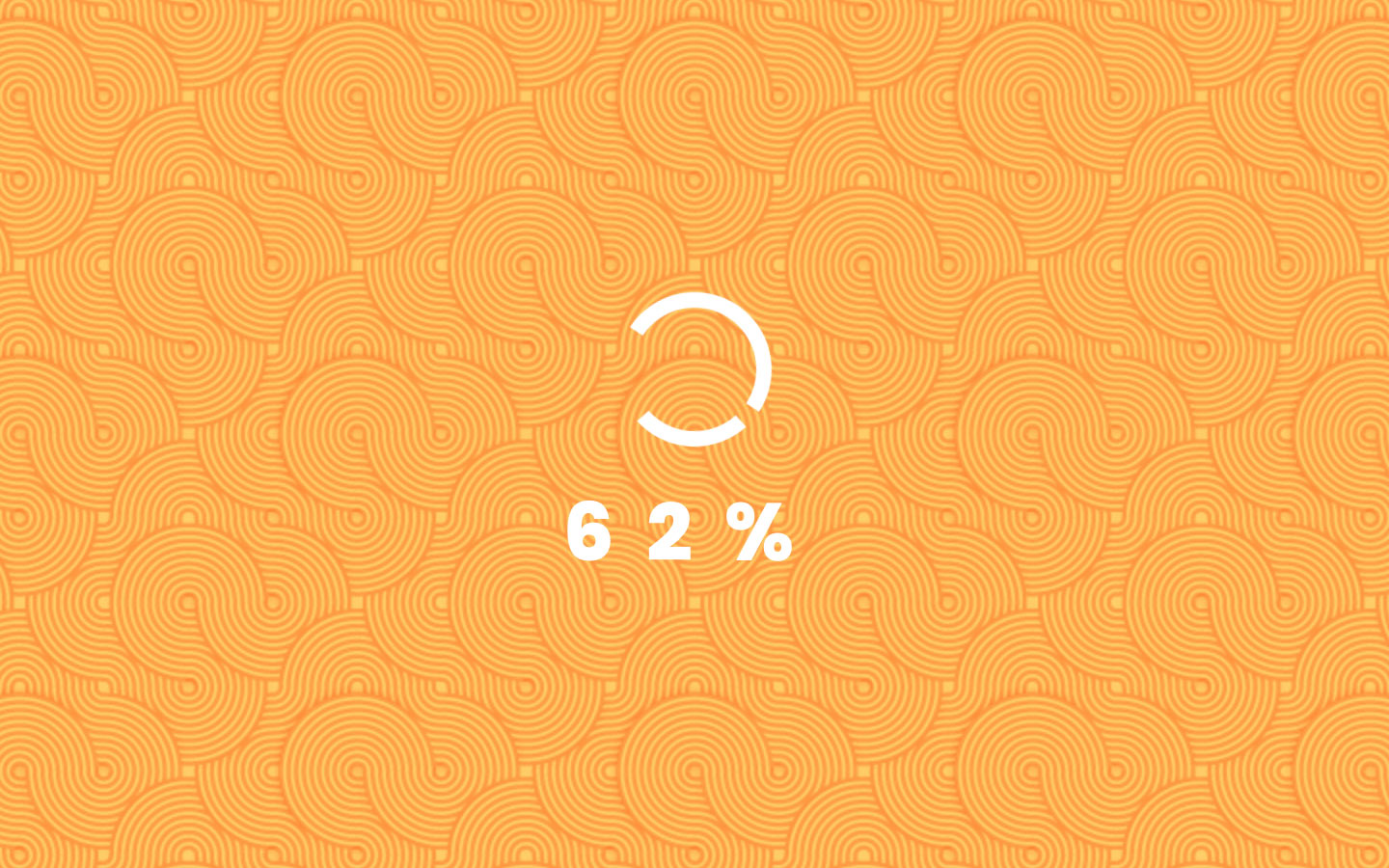
Fitur baru – Gambar Latar Belakang – Pola Berulang
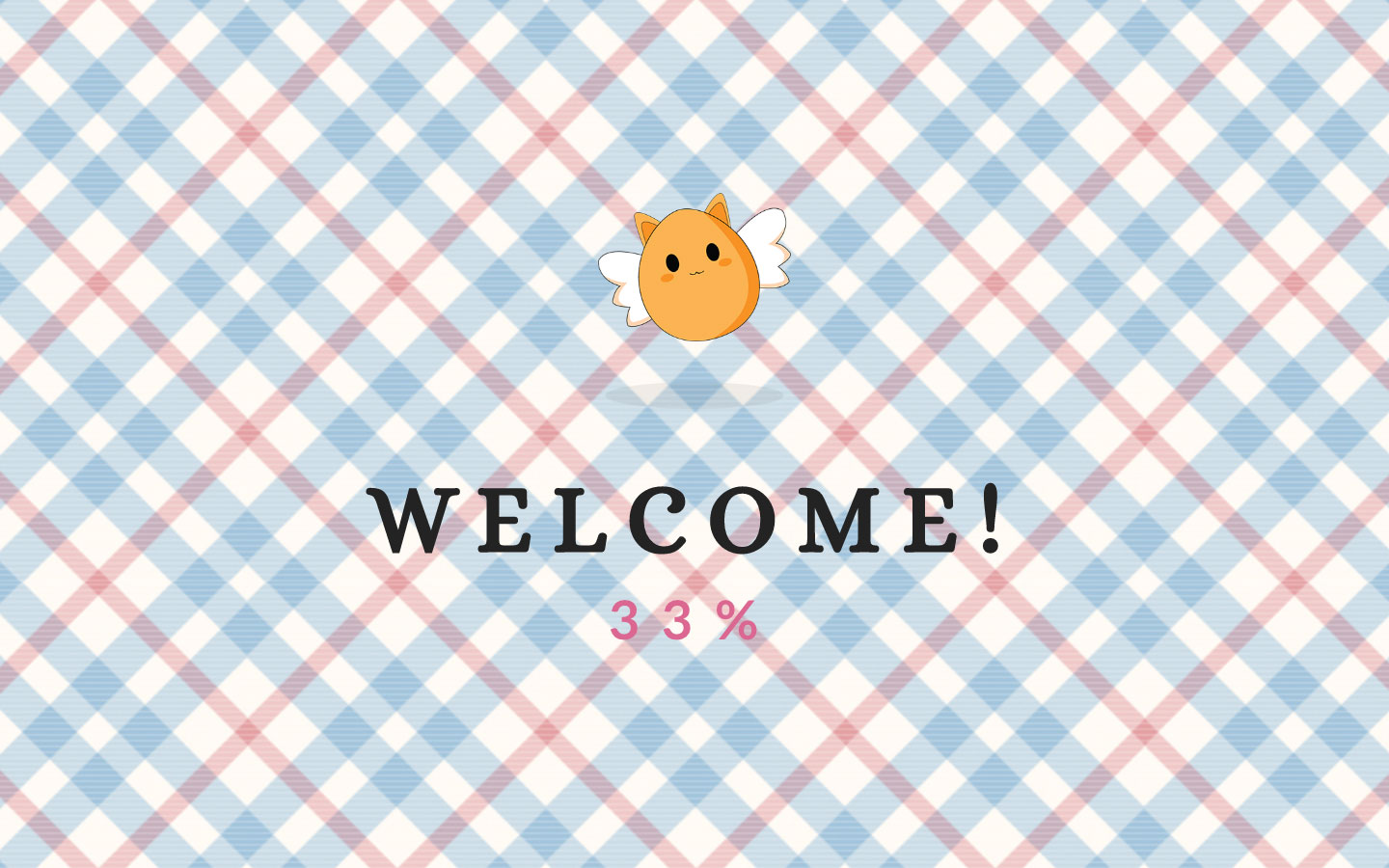
Fitur baru – Gambar Latar Penuh

Pengunjung menjadi tidak sabar saat menunggu pemuatan konten?
Menunggu bisa menyenangkan.
LoftLoader adalah plugin prapemuat yang kecil namun kuat untuk menambahkan animasi prapemuat yang menyenangkan dan unik ke situs web WordPress Anda.
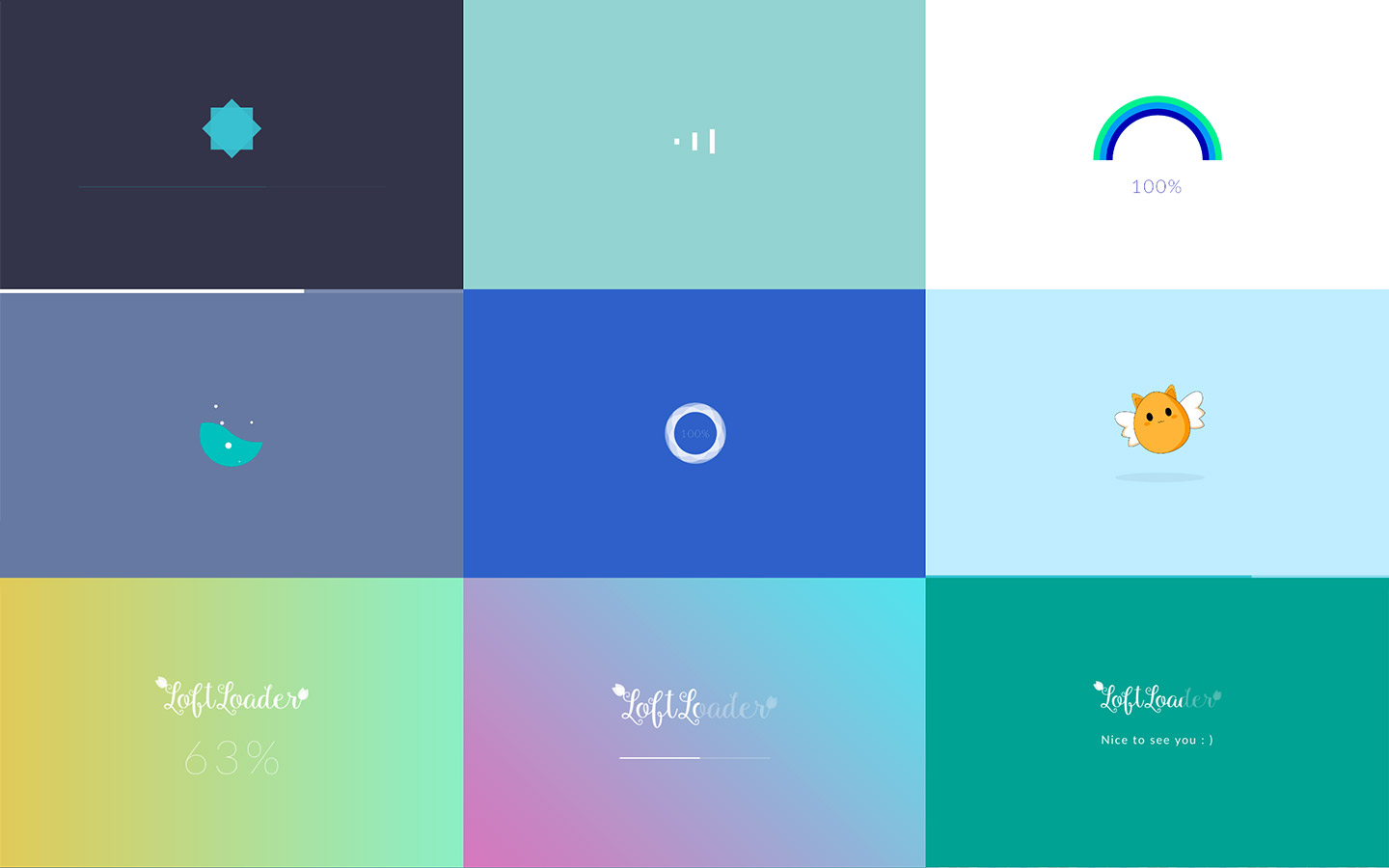
Periksa Beberapa Contoh
Fitur utama

Warna tak terbatas agar sesuai dengan merek Anda.
Tetap tajam, berkualitas tinggi, dan super cepat. Dibangun dengan animasi CSS3 murni.
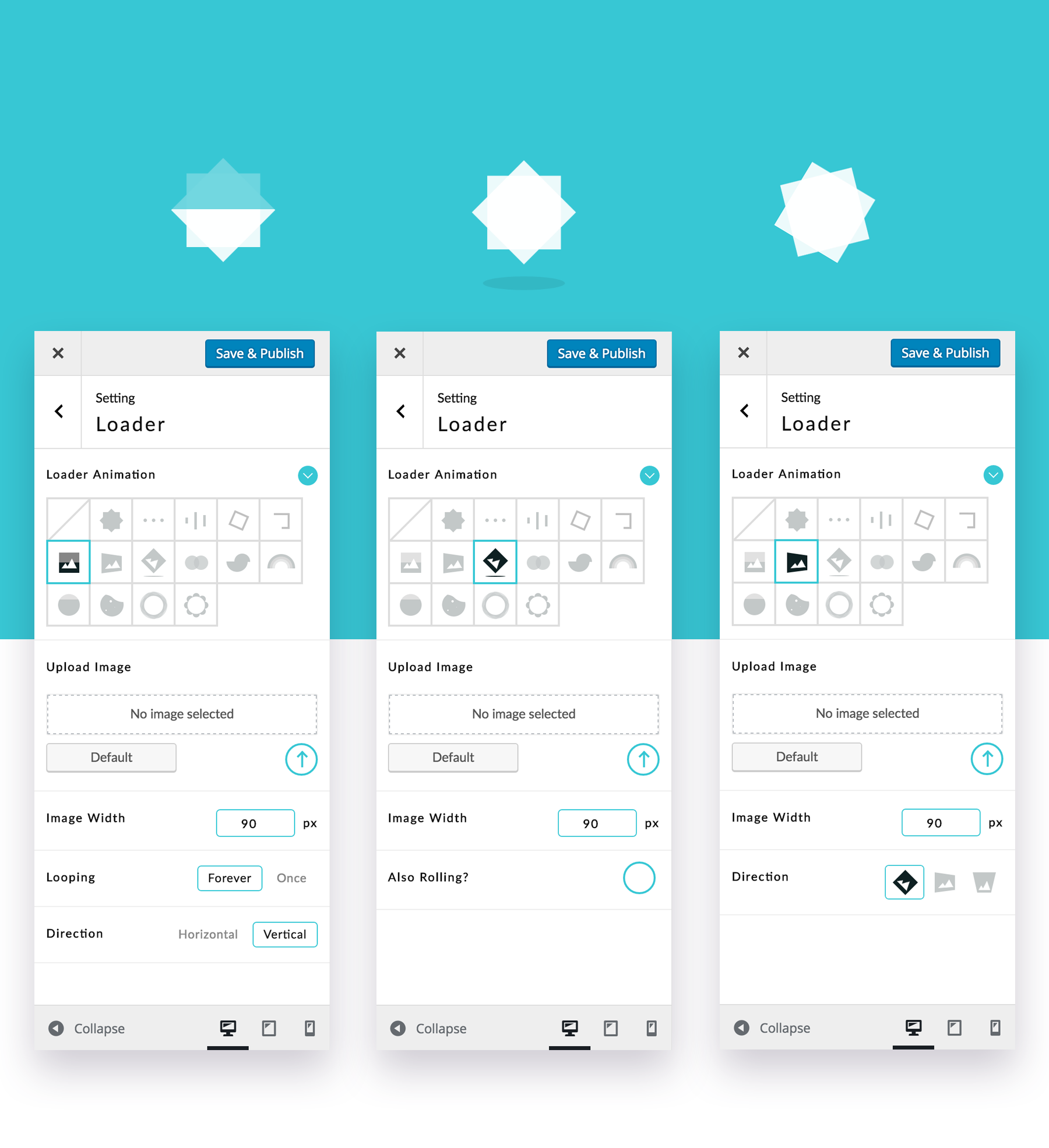
Unggah dan animasikan gambar khusus. Memuat, memutar, memantul dan menggelinding. Jadikan setiap bit situs Anda menyenangkan dan berkesan.
Cantik di perangkat apa pun.
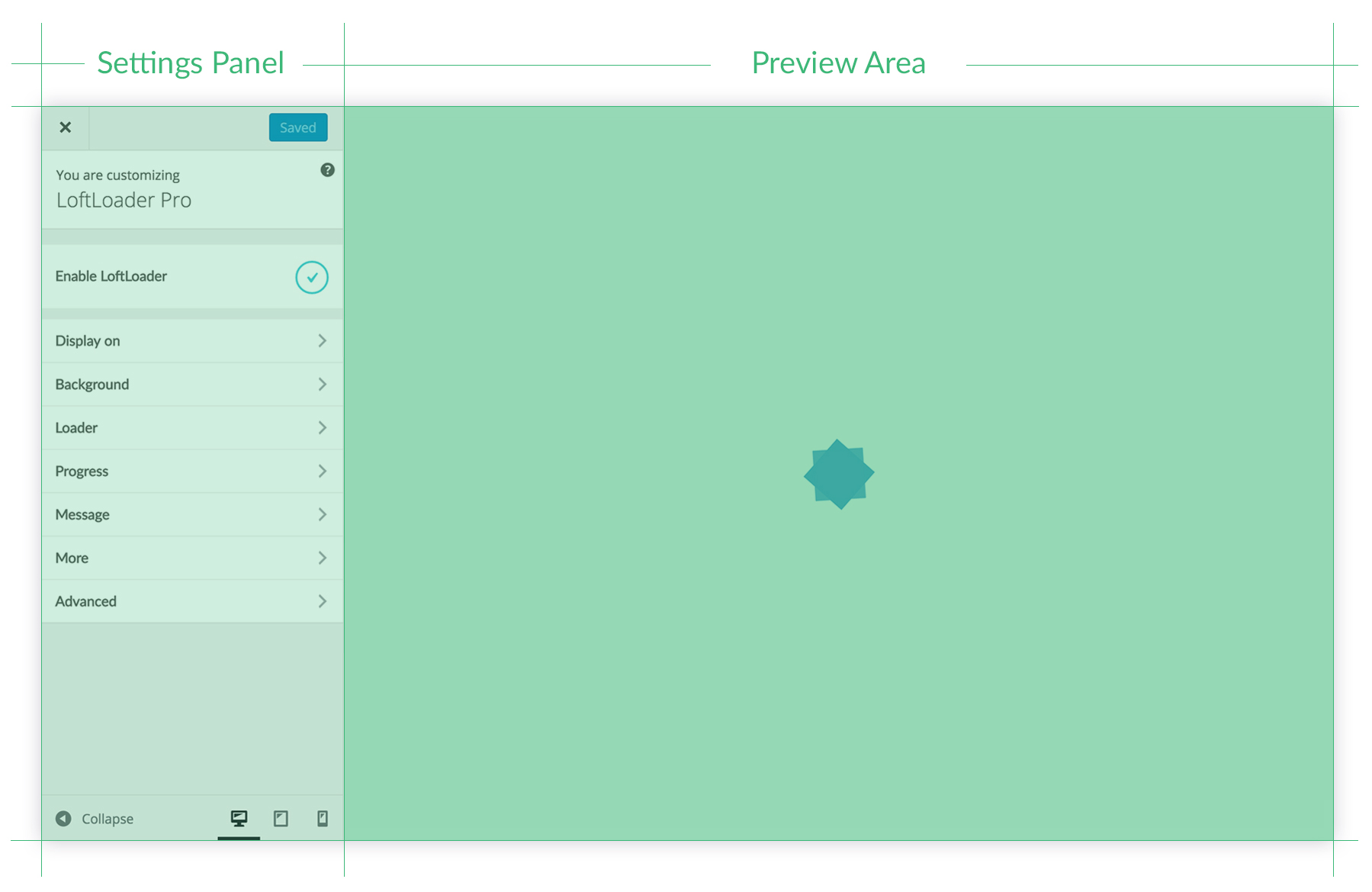
Mudah diedit dan pratinjau langsung. Dengan panel pengaturan yang disempurnakan dan elegan.
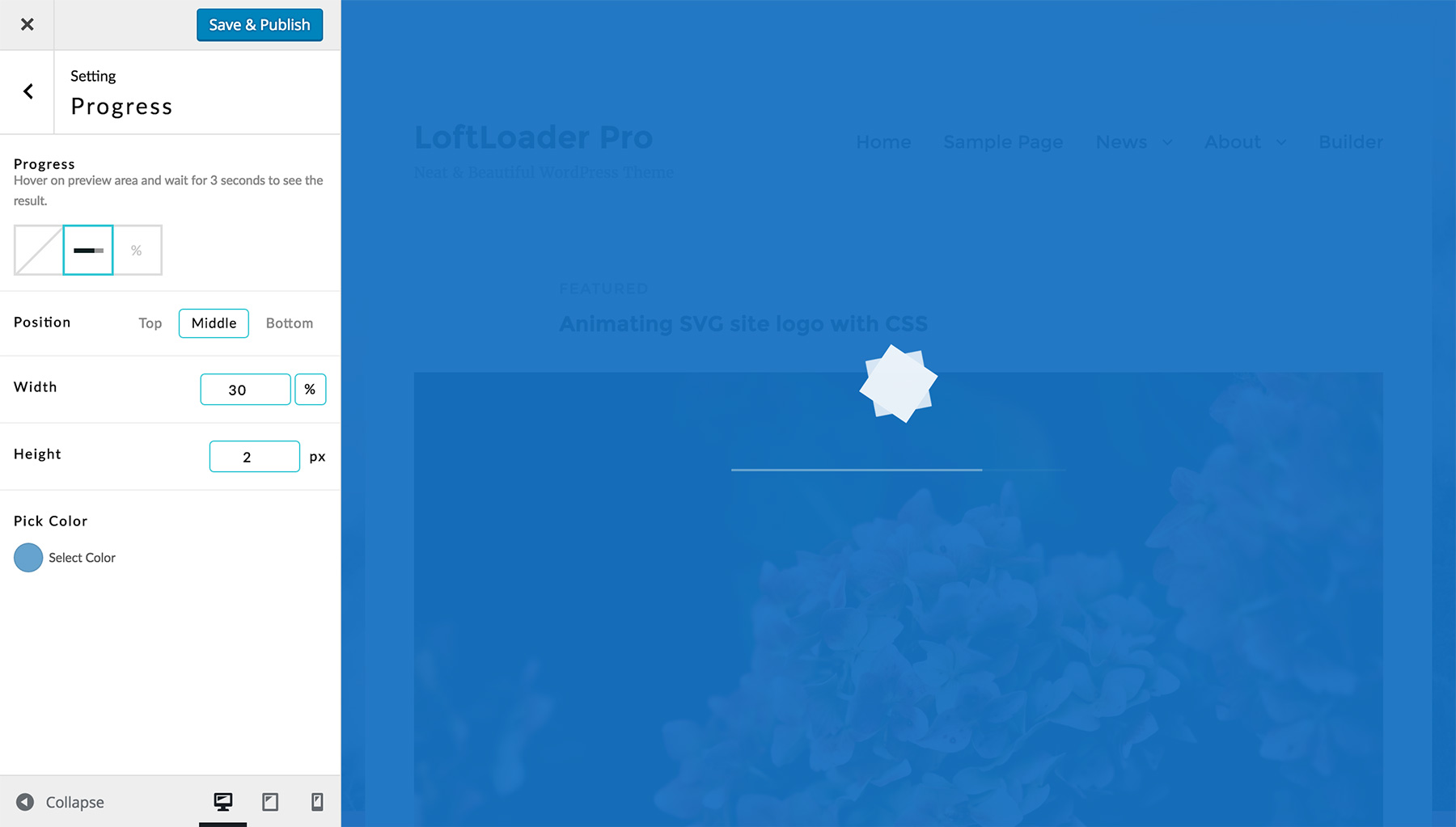
Fleksibel dan dapat dikontrol. Animasi pemuat, bilah progres, atau penghitungan persentase, pilih salah satu, atau campur.
Tambahkan lebih banyak efek ramah pengguna, dan buat pengunjung Anda terkesan dari pandangan pertama.
Menampilkan
- Aktifkan atau nonaktifkan prapemuat.
- Pilih untuk ditampilkan di situs global, atau semua halaman.
- Ditampilkan di beranda saja.
- Tunjukkan kepada pengunjung satu kali per sesi.
- Pilih untuk menyembunyikan loader untuk jenis yang dipilih: produk, portofolio, dll.
- Pilih untuk hanya menampilkan pemuat untuk jenis posting yang dipilih: produk, portofolio, dll. (Fitur baru)
- Pilih sendiri, aktifkan untuk halaman atau posting tertentu.
- Secara manual mengecualikan halaman/postingan yang dipilih (untuk “Seluruh Situs” dan “Semua Halaman”)
Pemuat
- Tampilkan atau sembunyikan loader.
- 19 animasi untuk dipilih.
- 6 mendukung gambar khusus.
- Pilih warna apa saja.
- Animasi berputar selamanya, atau hanya sekali (berakhir setelah halaman dimuat).
- Gunakan HTML khusus sebagai pemuat (fitur baru ditambahkan di v2.2.2)
Latar belakang
- Padat atau transparan.
- Warna latar belakang tidak terbatas.
- 13 efek transisi saat mengakhiri: pudar, belah secara horizontal/vertikal, geser ke kiri, geser ke kanan, geser ke atas, geser ke bawah, perkecil & pudar, belah & tampilkan secara vertikal, belah & tampilkan secara horizontal, atau belah secara diagonal (silakan lihat informasi lebih lanjut tentang animasi split diagonal).
- Kontrol opasitas. Turunkan opacity agar pengunjung dapat melihat.
- Warna latar gradien.
- Gambar Latar Belakang: Pola berulang, atau gambar penuh.
- Fitur baru ditambahkan dalam versi 2.2: saat menggunakan gambar latar, pengguna dapat memilih untuk mengunggah gambar latar terpisah untuk perangkat seluler.
Kemajuan
- Tampilkan atau sembunyikan indikator kemajuan.
- Pilih bilah kemajuan, persentase penghitungan, atau keduanya.
- Atur posisi. Atas, tengah, bawah, atau di bawah loader.
- Pilih warna apa saja untuk itu.
- Sesuaikan lebar dan tinggi bilah kemajuan.
- Pilih satu dari font Google, ubah ukuran font, berat, dan spasi huruf untuk persentase.
- Letakkan persentase di belakang animasi, buat desain yang unik.
Pesan Selamat Datang Kustom
- Tampilkan pesan selamat datang/pemuatan khusus.
- Mengubah ukuran font teks.
- Pilih warna apa pun untuk teks.
- Atur posisi. Atas, bawah, atau sebelum indikator kemajuan.
- Font Google, berat font, dan pengaturan spasi huruf.
- Pesan Acak – Periksa contohnya
(Fitur baru).
Muat Waktu
- Mengatur Minimum waktu muat, jadi cegah pre-loader menghilang terlalu cepat.
- Mengatur Maksimum waktu muat untuk memaksa pre-loader menghilang setelah x detik (fitur baru ditambahkan di v2.2).
Kontrol Perangkat
Pilih untuk menampilkan layar pemuatan:
- Di semua perangkat.
- Atau sembunyikan di ponsel.
- Atau tampilkan di seluler saja.
Transisi Halaman Halus (Fitur baru)
Satu klik untuk mengaktifkan/menonaktifkan Transisi Halaman Halus. Latar belakang layar pemuatan akan muncul saat meninggalkan halaman. Periksalah demo untuk fitur ini.
Dengan “Opsi Tampilan Tambahan” dari fitur ini, layar pemuatan hanya dapat ditampilkan saat meninggalkan halaman saat ini (setelah mengklik tautan internal).
Pemuat berbeda di halaman berbeda
Memungkinkan Ekstensi Halaman Apa Saja di bagian Lanjutan yang baru, Anda dapat mengekspor kode pendek loader dan menambahkannya ke halaman mana pun untuk menampilkan loader yang berbeda di halaman yang berbeda. (Anda mungkin ingin baca dokumentasinya untuk lebih jelasnya.)
Sejak LoftLoader Pro v2.0, sekarang Anda dapat menambahkan berbagai loader untuk Anda posting dan jenis posting kustomseperti portofolio, produk, dll.
Memuat Tombol Tutup Layar
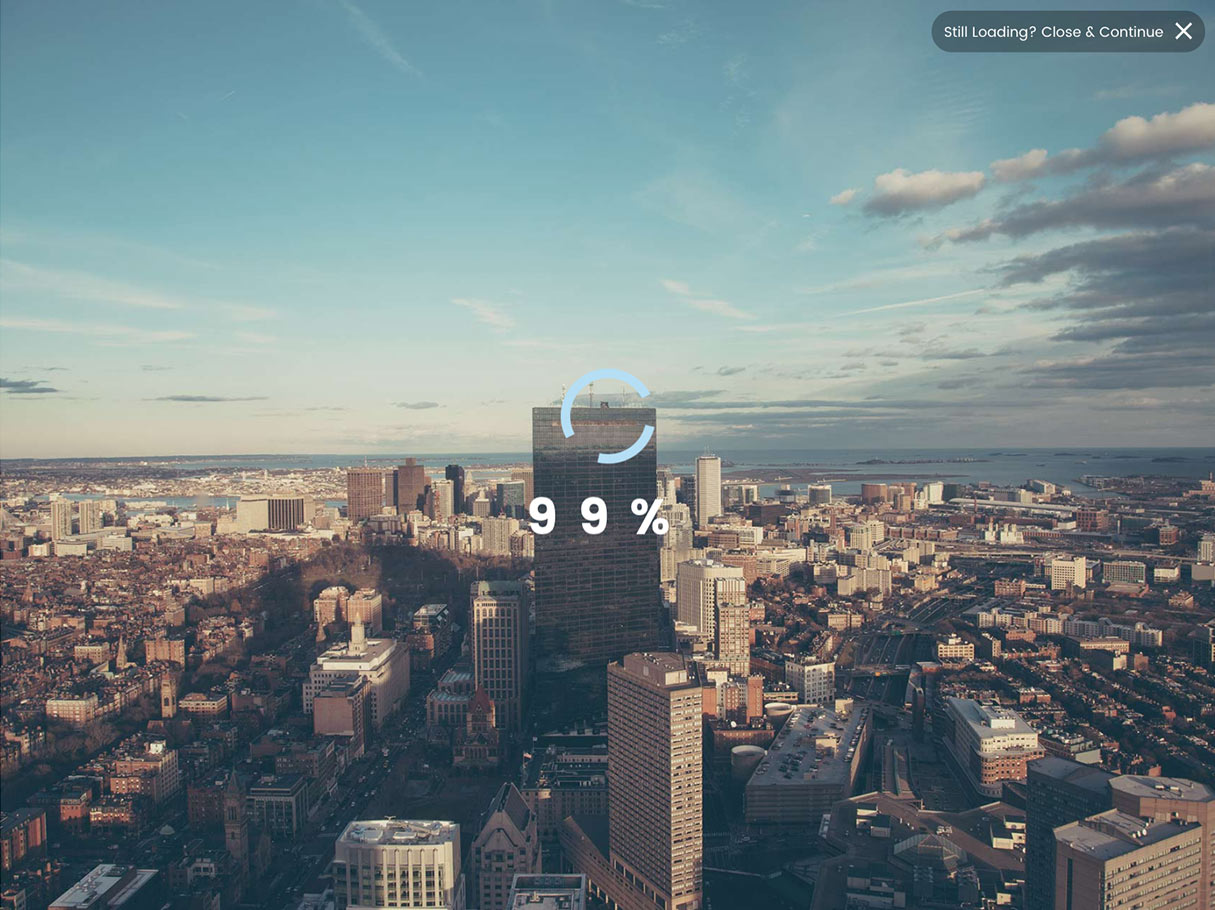
Sejak v1.1.5, pengunjung dapat mengklik tombol tutup untuk keluar dari layar pemuatan jika tidak ingin menunggu pemuatan selesai. Admin dapat mengontrol kapan menampilkan tombol tutup, dan dapat menambahkan teks khusus untuk tombol tutup.
Deteksi Elemen (Fitur baru)
Sejak v2.0, sekarang LoftLoader Pro dapat mendeteksi pemuatan berbagai elemen:
- Mendeteksi saat browser berhenti memuat
- Deteksi Gambar
- Deteksi Video
- Deteksi Gambar & Video
(Harap diperhatikan: LoftLoader Pro akan memeriksa video dari YouTube & Vimeo, dan video dari Perpustakaan Media. Sumber daya video lainnya tidak dapat dideteksi saat ini.)
Tempat menyimpan gaya
Pilih untuk menyimpan gaya penyesuaian layar pemuatan Anda sebagai gaya sebaris di
, atau sebagai file .css eksternal.Perbarui segera
- Lebih banyak opsi untuk citra merek kustom.
- Animasi yang lebih menyenangkan dan bermakna.
- Lebih banyak opsi untuk loader.
- Lebih banyak pilihan untuk latar belakang.
- Lebih banyak pilihan untuk kemajuan.
Pertanyaan pra-penjualan
Jika Anda tidak yakin apakah plugin memiliki fitur khusus yang Anda butuhkan, silakan periksa kami Dokumentasi Daring, jelajahi demo, baca deskripsi barang di halaman ini. Jika Anda tidak dapat menemukan jawaban, silakan Tinggalkan komentar.
Ada Masalah?
Jangan ragu untuk menghubungi kami jika Anda mengalami masalah terkait plugin. Untuk mempercepat permintaan dukungan, harap ikuti panduan yang tercantum di tab dukungan.
Berapa lama dukungan LoftOcean membalas permintaan dukungan Anda?
Kami memberikan dukungan untuk pelanggan kami Senin hingga Jumat: 10:00 hingga 18:00 (UTC+10). Permintaan dukungan akan diproses sesuai urutan yang diterima.
- Biasanya kami membalas semua permintaan dalam waktu 24 jam.
- Namun, terkadang kami mungkin menerima permintaan dalam jumlah besar, atau beberapa pertanyaan rumit dan memerlukan penelitian mendalam untuk menjawabnya. Dalam dua kasus di atas, mungkin diperlukan waktu lebih dari 24 jam bagi kami untuk merespons.
- Jika ini adalah akhir pekan, waktu respons kami mungkin memakan waktu 48 jam atau lebih.
Changelog
Version  2.4.0 - November 29, 2022
* New: Ending Animation - No Animation
* New: Smooth Page Transition - Option to manually set the percentage at which the progress ends when leaving the current page (when loader contains progress)
* New: Smooth Page Transition - Option to manually set how long to stay on the current page before leaving it (when loader contains progress)
* New: Smooth Page Transition - Option to show or hide the close button when leaving the current page
* New: Option to add specific parameters to disable the loader when these parameters are included in the URL
* New: Trigger Smooth Page Transition on specific buttons (BETA)
* Improved: Rearranged the structure of all option of Smooth Page Transition in the settings panel
* Improved: Once Per Session feature
* Fixed: When the loader is set to only appear on page transition, if the "Disable Page Scroll while Loading" feature is activated, the page cannot be scrolled even though the loader does not appear when the page is opened for the first time
* Fixed: Minor CSS Issues

Version  2.3.3 - February 28, 2022
* New: Smooth Page Transition - Reverse background animation direction when reappearing (works for: Slide to Left / Slide to Right / Slide Up / Slide Down)
* New: Added the Custom CSS box
* Improved: Ensured images in loading screen are available earlier by adding rel="preload" attribute value
* Improved: When "Once Per Session" is enabled, the loader no longer appears when opening the page in a new tab or new window
* Fixed: A minor conflict with Divi Theme (causing "Once Per Session" to not work)

Version  2.3.2 - October 21, 2021
* New: Option to enable Adaptive Height for the loading screen on mobile devices
* New: Gradient background color for the progress bar
* Updated: Google Fonts List
* Fixed: CSS issues for ending animations (Fade, Slide Up)

Version  2.3.1 - June 28, 2021
* Fixed: JS error when the visitor disables browser cookie on the device (cookie-related/once-per-session feature will not work at this time, but the loader can display and end)
* Improved: When Cloudflare Rocket Loader feature is enabled, the "Once Per Session" feature can work
* Improved: Added width and height attributes to image elements
* Improved: Removed most non-composited animations

Version 2.3.0 - January 24, 2021
* New: Background Section - new Ending Animation: Slide Down
* New: Added "Additional Display Option" for Smooth Page Transition
* New: For developers - added API for Smooth Page Transition. Then developers can use Smooth Page Transition on custom HTML element
* Improved: Random Message content issue when Smooth Page Transition is enabled
* Improved: Option to adjust the order of loading JavaScript
* Changed: Minimum Load Time - The upper limit of the value is changed to 30 seconds
* Fixed: Display On - Handpick request error
* Fixed: Minor CSS issues on Chrome browser on iOS

Version 2.2.3 - August 13, 2020
* Improved: Compatibility with WordPress 5.5

Version 2.2.2 - July 23, 2020
* New: Display On - "Sitewide" - New option to manually exclude pages/posts
* New: Display On - "All Pages" - New option to manually exclude pages
* New: Loader - New option to use custom HTML loader
* Fixed: Conflicts between "Translate Press" and the "Smooth Page Transition" feature of LoftLoader Pro
* Fixed: Minor CSS issues

Version 2.2.1 - March 15, 2020
* Fixed: Maximum Load Time setting issue for initial installation

Version 2.2.0 -  March 1, 2020
* New: Option to set Maximum Load Time
* New: Option to enable detecting autoplay video (video source: YouTube / Vimeo / Media Library)
* New: When background is set to use background image, added a new option to upload a separate background image for mobile devices
* Improved: Hide loader when editing content with a third-party page builder plugin
* Improved: Hide loader when opening theme customizer
* Improved: Compatibility with Swift Performance plugin
* Improved: Prevent Google Fonts from loading when there is no text in the loading screen
* Improved: “Detect Elements” - “Detect All Elements” option description changed to “Detect when the browser stops loading” to make the description more accurate
* Improved: Added a data attribute when the loader is created with Any Page Extension feature (for better debugging)
* Improved: For browsers that support “Back/Forward Cache”, hide the loader when going back/forward by clicking the “Back” or “Forward” button of the browser
* Improved: LoftLoader Pro settings Panel UI
* Fixed: Google Fonts load incorrectly when font name is not a single word
* Fixed: Any Page Extension did not work on WooCommerce Shop page
* Fixed: When “Once Per Session” is enabled, hide the loader when clicking on the “Back” button of the browser
* Fixed: Potential layout issues for split background image
* Fixed: Potential conflicts with Gutenberg when Any Page Extension feature is enabled
* Fixed: Minor CSS issues

Version 2.1.1 - November 16, 2019
* Improved: Prevent preloader styles being affected by Lazy Loading feature
* Fixed: Some JavaScripts are delayed due to conflicts between Once Per Session feature and CloudFlare
* Fixed: CDN issue caused by code changes made in the previous update (to resolve conflicts with ConveyThis plugin)
* Fixed: Minor style issues in LoftLoader Settings panel for WordPress 5.3
* Updated: Plugin requirements information

Version 2.1.0 - November 7, 2019
* New: Option to show all elements for Smooth Page Transition feature
* New: Option to disable the close button
* Improved: Once Per Session now works on cached pages
* Improved: Display On > Handpick - Improved the design and user experience of this option
* Improved: The minimum load time setting doesn’t work because the theme or other plugins also use the "loaded" class. So we added a new class "loftloader-loaded" to < body > when page is loaded
* Improved: Rearranged options in Advanced section
* Fixed: Media Library cannot open on LoftLoader settings panel
* Fixed: Smooth Page Transition feature doesn’t work on internal links that are added dynamically by JavaScript after page is loaded
* Fixed: Code conflicts between Max Mega Menu and LoftLoader
* Fixed: Compatibility issue between ConveyThis and LoftLoader
* Fixed: Style issue of Water Filling animation

Version 2.0.1 - July 7, 2019
* Improved: Improved plugin code in accordance with the latest Envato WordPress plugin requirements
* Fixed: PHP Conflict with some maintenance plugins
* Fixed: AJAX conflict with other plugins

Version 2.0 - May 13, 2019
* New: Any Page Extension can be enabled for blog posts and custom post types (portfolios, products, etc.)
* New: Option to detect different elements (All Elements / Images / Videos / Images & Videos)
* New: URL parameter for disabling the preloader
* New: Added the config file for Polylang
* Improved: Animation for progress indicators
* Improved: Compatibility with other third-party plugins
* Improved: Improved plugin code in accordance with the latest Envato WordPress plugin requirements
* Improved: Introducing a new library to improve the accuracy of Mobile Detection
* Fixed: Media Library issue due to conflicts with other plugins
* Fixed: Unable to trigger the Gutenberg Update button when adding Any Page Extension shortcode
* Fixed: Minor CSS issues

Version 1.2.4 - January 9, 2019
* New: Background Section - 2 new Ending Animations: Slide Left, Slide Right
* Changed: The minimum PHP version requirement changed from PHP 5.4 to PHP 5.3
* Fixed: PHP error message displayed in the dashboard

Version 1.2.3 - November 20, 2018
* New: Random Message feature - enter multiple messages and display a random one when loading the page
* New: Feature to detect user website configuration and display warning messages if WordPress/PHP is too old
* Improved: Any Page Extension meta boxes redesigned to fit in Gutenberg Sidebar
* Fixed: PHP cache conflicts with some WordPress Themes/Plugins

Version 1.2.2 - September 28, 2018
* New: Option to adjust Line Height for Message
* Fixed: JS/PHP conflicts with some WordPress Themes/Plugins
* Improved: Message input field supports simple HTML markups
* Improved: Option to use site default font for message text and progress percentage number

Version 1.2.1 - August 31, 2018
* Fixed: Issue occurs when activating the plugin if the server PHP version is older than 5.4
* Improved: Added notifications when outdated PHP versions detected (older than PHP 5.4)
* New: For developers - after the loading process is completed, trigger a JavaScript event “loftloaderprodone” on DOM object “document”. Then developers can bind their own code to this event.

Version 1.2 - July 13, 2018
* New: Option to choose entrance animation (None / Fade In / Slide Up) for inner elements such as the loader, progress indicator and message.
* New: Option to choose exit animation (None / Slide Up) for inner elements such as the loader, progress indicator and message.
* Fixed: The issue of inserting HTML code into robots.txt

Version 1.1.9 - June 20, 2018
* New: Option to change custom loader image max width for responsive design
* Improved: LoftLoader Customizer panel independence
* Fixed: JS conflicts with Smart Slider 3 Pro version
* Fixed: Progress bar CSS issue under Chrome v67.x

Version 1.1.8 - May 28, 2018
* New: Option to make the preloader spin counterclockwise with Custom Image Rotating loader
* Fixed: Image moves while loading with Custom Image Loading loader

Version 1.1.7 - May 24, 2018
* Fixed: Cookies conflict with cache plugins when "Once Per Session" feature is not enabled

Version 1.1.6 - May 23, 2018
* New: Background Section - Background Image can choose “cover” or “contain” as the full background image size
* New: Option to disable page scrolling while loading
* Improved: Rearranged options in More section
* Improved: Compatibility with WordPress 4.9.6 - added suggesting text for Privacy Policy (GDPR tools introduced in WordPress 4.9.6)
* Improved: Use cookies instead of sessions for “Once Per Session” feature
* Fixed: Added CSS for screen reader text in this plugin

Version 1.1.5 - January 30, 2018
* New: Background Section - 2 new Ending Animations: Split Diagonally - Vertically, Split Diagonally - Horizontally
* New: Loader Section - 1 new Loader Animation: Incomplete Ring
* New: Loader Section - Custom Image Loading Vertically - Animation can goes from Top to Bottom
* New: More Section - when “Smooth Page Transition” feature is enabled, user can exclude specific links so that the feature will be disabled when clicking on those links
* New: More Section - option to “Show Close Button after x seconds”
* Fixed: The issues of “Once Per Session” features due to WP Engine’s cache system ignores PHP Session
* Fixed: Issue when saving styles as an external CSS file
* Fixed: Minor CSS issues

Version 1.1.4 - November 17, 2017
* Fixed: Settings Panel UI compatibility issues with WordPress v4.9

Version 1.1.3 - October 29, 2017
* New: Any Page Extension - Added an option to display the preloader (created by shortcode) on the page only once during a visitor session
* Fixed: preg_replace php function issue

Version 1.1.2 - August 22, 2017
* Fixed: Conflict with plugin “Essential Grid” - affected Smooth Page Transition feature
* Fixed: Removed empty <img /> tag for loader “Drawing Frame”
* Fixed: Split background image issue on FireFox
* Fixed: Other minor CSS issues
* Improved: Hide LoftLoader when JavaScript is disabled

Version 1.1.1 - July 30th, 2017
* New: Display On - Selected Post Types
* Fixed: Minimal Load Time - Decimal separator (dot) being converted to comma for some locale settings
* Fixed: Back/forward button issue for Safari when Smooth Page Transition feature enabled

Version 1.1.0 - June 21st, 2017
* Improved: LoftLoader Customizer panel independence (so it won’t be affected by theme or other plugins’ code)
* New: Background Section - 2 new Ending Animations: Split & Reveal Vertically, Split & Reveal Horizontally
* New: Loader Section - 2 new Loader Animations: Beating, Custom Image Fading
* New: Loader Section - A new option for Crossing Circles: Blend Mode None
* New: Progress Section - A new Progress Animation: Bar + Number.
* Fixed: Minor bugs of Page smooth transition for IE11 - a tag with href "#" only
* Fixed: Minor bugs of Page smooth transition with WooCommerce - when “Enable AJAX add to cart buttons on archives”
* Fixed: Other CSS issues

Version 1.0.10 - April 10th, 2017
* New: Option to enable AJAX when choose "Once per session" and "Homepage + Once per session" in Display On section
* New: Interval between AJAX requests option in Display On section
* Fixed: AJAX keep alive error when switch between login and logout user

Version 1.0.9 - March 21st, 2017
* Fixed: A minor bug of Smooth Page Transition feature - should disable while < a > link with href "#" only.

Version 1.0.8 - March 17th, 2017
* New: Display On - Homepage only + Once per session: so the loading screen will only show on the homepage and only show once during the whole session of a visitor.

Version 1.0.7 - March 1st, 2017
* New: Background Section - Background Image
* New: Advanced Section - Save customize styles as inline styles in <head> or as an external .css file.
* New: “Default” font option in Google Font dropdown list
* Fixed: Minor bugs of Smooth Page Transition feature in Safari
* Changed: Removed inline JS, changed to HTML5 data attributes

Version 1.0.6 - February 24th, 2017
* New: More Section - Smooth Page Transition
* New: Display On - Once per session
* New: Display On - “Sitewide - Selected types”
* New: Advanced - Enable Any Page Extension: let user export loader shortcodes and add it to any page, so display different loaders on different pages.
* Improved: Add CSS to prevent site content from being hidden by other plugins before their code get fully loaded.
* Fixed: Minor bugs on settings panel for WordPress 4.7.x

Version 1.0.5 - December 22nd, 2016
* New: Background Section - A new Ending Animation: Shrink & Fade
* New: Loader Section - A new option for Custom Image Rotating: Speed Curve (Linear / Ease Out & Back)
* New: Loader Section - More options for Drawing Frame: Frame Size & Border Width
* New: Progress Section - More font options for Percentage: Google Fonts, Font Weight and Letter Spacing.
* Updated: Google Font list
* Fixed: CSS minor bugs

Version 1.0.4 - November 1st, 2016
* New: Message Section - Message Position
* New: Message Section - More font options: Google Fonts, font weight and letter spacing.
* Fixed: Minor bugs of the loader Petals
* Improved: Added prefix to main classes to prevent styles from being affected by theme or other plugins.

Version 1.0.3 - September 29th, 2016
* New: Background Section - Gradient Background
* New: Loader Section - Custom Static Image
* New: More Section - Devices. Now you can choose to hide the loading screen on mobile devices, or show on them only.
* Fixed: Backend layout issues with Divi Theme
* Fixed: Minor bugs of the loader Wave/Crossing Circles
* Improved: Load Time code
* Improved: Backend panel code
* Improved: Minified JS and CSS
* Changes: Remove width limitation of custom image (was 200px)
* Changes: Increase the z-index of the loading screen

Version 1.0.2 - September 1st, 2016
* New: More section - Minimum Load Time. Now the user can set a minimum load time to prevent the pre-loader from disappearing too fast.

Version 1.0.1 - August 25th, 2016
* New: Handpick for Display On section, now you can turn on pre-loader for specific pages or posts.
* New: Custom Welcome Message.
* Fix: Customizer minor bug.

Version 1.0.0 - August 5th, 2016
* Initial Public Release.
[ad_2]
Source