

Description
[ad_1]
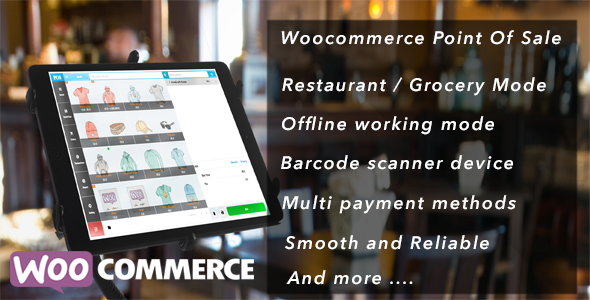


Anda mencari solusi untuk menyinkronkan data antara situs web online Anda dan toko lokal Anda; Anda mencari solusi cepat untuk mengelola kafe / restoran Anda. OpenPOS adalah suatu keharusan memiliki Plugin untuk melakukan itu.
OpenPOS adalah plugin point of sale system (POS) lengkap untuk WooCommerce dan WordPress. OpenPOS dapat digunakan untuk berbagai keperluan seperti sebagai Toko Pengecer / Restoran / Kafe / salon Spa. OpenPOS mencakup semua yang Anda butuhkan untuk sistem Point Of Sale.
Fitur Baru: Aplikasi Web Progresif OpenPOS di Desktop
Aplikasi Web OpenPOS Progressive di Desktop dapat ‘diinstal’ pada perangkat pengguna seperti halnya aplikasi asli. Itu cepat. Merasa terintegrasi karena mereka diluncurkan dengan cara yang sama seperti aplikasi lain, dan dijalankan di jendela aplikasi, tanpa bilah alamat atau tab. Ini dapat diandalkan karena pekerja layanan dapat menyimpan semua aset yang mereka butuhkan untuk melakukan cache. Dan itu menciptakan pengalaman menarik bagi pengguna.


Fitur:
- Tanpa Biaya Bulanan. Diinangi tempat yang sama dengan woocommerce Anda
- Aplikasi Web Progresif
- Mendukung berbagai jenis bisnis: pengecer – toko kelontong / kafe-restoran / Salon
- Mode Kafe / Restoran dengan manajemen meja, tabel gabungan, tabel transfer, Layar Kitchen View
- Jenis Dukungan Sewa Bisnis seperti: karaoke, Sewa Pool Table, sewa hotel / kamar …
- Sinkronisasi data tabel waktu nyata antara ponsel / tablet pelayan dan ponsel / tablet / pc Kitchen
- Mode Umum / Belanjaan dengan tampilan tiang pelanggan
- Multi-Gudang (Outlet)
- Manajemen persediaan : Transfer stok, Penyesuaian stok
- Ikhtisar Stok
- Multi Register
- Mendukung semua jenis perangkat Pemindai Kode Batang / Auto mendeteksi input perangkat kode batang
- Tambahkan produk dengan Pemindaian Kode Batang atau cari berdasarkan nama / sku
- Pindai dengan kamera
- Mendukung Stok Desimal / Kuantitas Negatif
- Mendukung Digital Scale & Digital Weighing Scale barcode
- Mata Uang Pembulatan
- Harga dasar berat
- Catatan Pemesanan / Catatan Barang
- Diskon dan kupon (diskon item dan diskon keranjang)
- Checkout multi cart dengan fungsi keranjang tersimpan
- Kelola pengguna memungkinkan masuk ke panel POS
- Tanda terima, label barcode
- Cetak & Penerimaan Email
- Manajemen Uang Tunai
- Checkout dengan metode pembayaran multi / Pembayaran terpisah
- Bekerja dengan mode offline
- Laporkan Transaksi dan Penjualan
- Terintegrasi dengan Pengaya Produk WooCommerce, Bundel Produk WooCommerce untuk menjual produk Anda yang sederhana, variabel, dan kompleks.
- Kelola sesi login aktif, informasi sesi berisi: nama kasir, lokasi, alamat ip.
- Barcode kamera / pemindai kode QR dengan https
- Fungsi logoff. Ini adalah fitur penting bagi kasir, mereka dapat keluar tanpa kehilangan sesi kerja, dan tidak perlu khawatir tentang perubahan data mereka oleh orang lain
- Checkout dengan gateway woocommerce default atau diperpanjang
- Pengembalian Uang, Pengembalian Uang Parsial, Pertukaran penuh, Pertukaran Sebagian
- Dukung LayBuy: Beli dan Bayar nanti
- Mudah memperluas dan mengelola kode
- Dan masih banyak lagi…
Periksa Ikhtisar Diagram Plugin

Admin Demo: https://demo.wpos.app/wordpress/wp-admin/ (admin / admin123)
Demo POS: https://demo.wpos.app/wordpress/wp-content/plugins/woocommerce-openpos/pos/ (admin / admin123 atau test / test123)
Mode Demo Restoran / Kafe
Demo Restoran / Kafe POS: https://woocommerce-restaurant-pos.openswatch.com/wp-content/plugins/woocommerce-openpos/pos/ (test / test123)
Demo Restaurant / Cafe POS Kitchen View
Video Cara Bekerja dengan Mode Kafe / Restoran
Demo Performa POS dengan 1000 Produk Akun uji: tes / test123
Klik Di Sini Untuk Mengakses Demo Demo dengan 1000 Produk
Anda dapat mencoba dengan versi gratis yang tersedia di: https://wordpress.org/plugins/openpos/
Plugin Gratis / Plugin Terintegrasi Untuk Openpos
- WooCommerce Germanized dengan pencarian GTIN dan MPN
- Opsi Produk Ekstra WooCommerce
- Poin Woocommerce & hadiah Integrasikan
- Plugin Google Cloud Print untuk Open Pos
- Star CloudPRNT Integrasi – Mencetak tanpa dialog, mendukung multi register
- Manajemen Transfer Saham (transfer stok antar outlet)
- Pembayaran POS Online (Izinkan checkout dengan gateway pembayaran toko online melalui panel POS)
- Buku Harga untuk OpenPOS
- Metode pembayaran Authorize.Net untuk OpenPOS
- Stripe Terminal Integrasikan Untuk perangkat “Verifone P400”: https://prnt.sc/pp0mxx
- Authorize.net + Pembaca kartu magnetik – diuji dengan ETEKJOY – ET-MSR90, DEMO: https://youtu.be/C_Cv1t0r0eE
- Plugin Integrasi Lainnya
Pembaruan Halaman Facebook: https://www.facebook.com/openposwoo

Demo cepat
Umum / POS Kelontong

Kafe / POS Restoran

Openpos – WooCommerce Point Of Sale (POS) – Dievaluasi dengan baik

Perbarui Log
- 20/06/2020 ( version 4.4.2)
   - Improve code
   - Fixed customer report bug
- 25/05/2020 ( version 4.4.1)
   - Improve code
   - Fixed customer report bug
- 27/04/2020 ( version 4.4.0)
   - Improve code
   - Debit admin report type - when enable Laybuy option
   - Disable laybuy on POS when have no customer information
- 23/04/2020 ( version 4.3.5.4)
   - Improve code
- 17/04/2020 ( version 4.3.3)
   - Improve Code , UI
   - Sound notification when new online order come
   - LayBuy feature: Buy and Pay later, use short code <%- customer_total_paid %> to display paid amount in receipt template
   - Fixed Shipping address on POS receipt for online order
- 30/03/2020 ( version 4.3.0) - 02/04/2020 ( version 4.3.1)
   - Improve Code , UI
   - Print z-report after Logout , z-report receipt template , composer , assign z-report template to register
   - Send receipt email option if disable force print receipt  https://prnt.sc/rpajqe
   - Real time notice when have new order from Website : https://youtu.be/1RjZO05unZU
- 10/03/2020 ( version 4.2.0)
   - Improve Code , UI
   - Improve Composer barcode label
   - Note display for takeaway / add Note, it easy manage takeaway
   - Fixed disable Refund / Exchange when setting disable
- 17/02/2020 ( version 4.1.5)
   - Improve Camera Barcode Scanner
   - Delete online saved Cart
   - Fixed Refunded receipt
   - Improve search Customer with phone
   - Gift Receipt Template
   - Single payment checkout mode : Privacy accept - for EU store
- 04/02/2020 ( version 4.1.1)
   - Shipping tax
   - Print z-report in admin/pos/report/z report
   - Improve z-report by click download at pos panel / click to user name button
   - Improve code and design
- 13/01/2020 ( version 4.0.0)
   - Auto get custom item tax rate base on outlet location ( support multi tax rates)
   - Add Seller on each Restaurant Table button
   - Report sale by seller / report sale by store agent with All users options. export csv with selected user
   - Fixed issues with Online Saved Cart
   - Improve UI , Code
- 30/12/2019 ( version 3.9.8)
   - Improve admin / store staff.
   - Add seller to cart button on POS
   - Inline note for cart item
   - Improvement code / design
- 18/12/2019 ( version 3.9.6)
   - Fixed display all order list follow sale report in admin / pos / report
   - Fixed product with multi tax rate
   - Hot keys implement - https://prnt.sc/qcfzih
   - Improved code / UI / UX
- 05/12/2019 ( version 3.9.5)
   - Table type features ( hire / default ) , with hire, you have time counter and cost, this suitable for rent business / cost by time
   - Digital Scale connection by barcode decode info
   - Improved code
   - Improved design
- 25/11/2019 ( version 3.9.2)
   - Improved code
   - Update report chart
   - Update report with comission  ( base on op cost price field )
- 14/11/2019 ( version 3.9.0)
   - Restaurant : Change Tables pagination to Collection ( it can use to set table on floor , area )
   - Restaurant : Add dish to table by scan qrcode with phone camera
   - Fixed issues about order qrcode / order barcode, change dimension to px
   - Bookmark external app to Home screen
   - Improve code
- 05/11/2019 ( version 3.8.4)
   - Fixed currency local bug
   - Manager receipt templates
   - Assign receipt template for register
   - Fixed print receipt from admin
   - Display special price / sale price on cart
   - Improvement layout
   - Improve code
   - Shortcode : [op_product_warehouses] to display inventory details on product page
- 28/10/2019 ( version 3.8.2)
   - Fixed search with uppercase
   - IN / OUT transaction amount with local currency format
   - Preview Barcode label print
   - Product image when click cart item arrow icon https://prnt.sc/pp0gnv
   - Improve layout
   - Improve code
- 17/10/2019 ( version 3.8.0)
   - New Dashboard Layout
   - Improved admin report
   - Takeaway order for restaurant
   - Own screen to display / search customers
   - Display Order additions field data to order details
   - Hide Variable Product when variation is out of stock
   - improve code and design , make design easy access to main menu without use nav menu.
- 10/10/2019 ( version 3.7.0)
   - Progressive Web App
   - Improvement Code and design
- 07/10/2019 ( version 3.6.9)
   - Improve online order ( POS / order / online order tab )
   - Fixed issues conflict with minify / speed up wordpress plugins
   - Print Table receipt for restaurant mode
   -  Fixed Stock manage for variation product
   - Order receipt QRcode short code
- 24/09/2019 ( version 3.6.4)
   - setting continue order status
   - Clear keyword in search product / customer search
   - Improved code and design
- 19/09/2019 ( version 3.6.0)
   - setting change POS logo
   - Setting category , product grid size
   - Setting search mode (offline / online). default Offline mode, Online Mode help in case you have big product list
   - Improved UI for POS Order Page
- 17/09/2019 ( version 3.5.5)
   - auto scroll cart to recent added item and markup latest item in cart.
   - z-report at admin / pos / report
   - Improve code
- 09/09/2019 ( version 3.5.0)
   - Improve Customer Search on POS
   - Get cart discount rule (https://prnt.sc/p3l4zu). Work with WooCommerce Dynamic Pricing & Discounts plugin on "Cart Discount Rules"
   - Refresh Table status button in Table List (Restaurant mode)
   - Resolve Variations label with non Alphabet
   - Improve Barcode Scanner device with uppercase in barcode
   - Improve Barcode Scanner with Bluetooth Scanner
- 29/08/2019 ( version 3.4.8)
   - Note: since this version, transaction save all payment method , cash drawer just increase when paid with cash
   - Add features to markup product is a weight base price https://prnt.sc/oz3p7h
   - Markup product in outlet / not in outlet in stock overview https://prnt.sc/oz3pxh
   - Update qty of outlet on product edit / add page https://prnt.sc/oz3qhc
   -  Sequential Order number format for order made via POS https://prnt.sc/oz3rhu
   -  Standard Order data with woocommerce . Thank jnameche@gmail.com help me check it .
-20/08/2019 (version 3.4.0)
  - Improve code and style
  - Improve continue checkout features
  - New features quick see item details when click arrow https://prnt.sc/ouxgnd
-14/08/2019 (version 3.3.5.6)
  - Fixed issue with wc 3.7
  - Print receipt with Hold Cart / Saved Cart
-12/08/2019 (version 3.3.5.2)
  - Fixed some mirror bug with multi payment method
-12/08/2019 (version 3.3.5)
  - Continue checkout from online without create new order
  - Improvement UI, code
  - Option to save custom item from POS to website ( with status pending review in admin panel )
  - Choose qty for variation product
  - Credit card payment , Trip and Pin/ credit card scanner API
-30/07/2019 (version 3.3.2)
  - Restaurant Mode : Lock mode for customer direct order on pos, use pos like as customer catalog
  - Note: since this version, to improve search, if your pos current inside a category, the search action search product for current category only
  - Fixed Continue checkout with variable product
  - Improved code
-11/07/2019 (version 3.2.8)
  - Restaurant Mode : Send online order to kitchen , tracking the kitchen process
  -  Restaurant Mode : Markup normal Order to takeaway order and send to kitchen view
  -  Restaurant Mode : Takeaway order list view / Process takeway order
  -  View list of order notes , add order note from POS
-21/06/2019 (version 3.2.0 - 3.2.5)
  - POS payment mode default : multi payment, new feature: single payment
  - Improved sync data , restaurant kitchen data
  - Stripe card payment improved
  - Customer order history
  - 3.2.5 : format currency with thousand, decimal separate follow woocommerce setting
  - 3.2.5 : improved single payment for mobile device
-14/06/2019 (version 3.1.0)
  - Improved POS design
  - Admin stock overview with quick update image , price
  - Restaurant Mode : set product display in Kitchen cook / Drink Bar View
  - Restaurant Mode : Notification when have new dish come in Kitchen View Page
- 03/06/2019 (version 3.0.8.6)
  - Setting with search type (auto complete / grid product display)
  - Discount tax for product tax class type
  - Manual push update dish on table ignore wait auto push to kitchen
- 20/05/2019 (version 3.0.3)
  - Setting Require customer checkout for POS
  - Improve tax calc with fixed tax class in admin
  - Product sales report in admin
  - Gift receipt option in POS
  - Default shipping address to outlet address with store pickup
- 15/05/2019 (version 3.0)
  - Improve code
  - Improve tax formula
  - Fixed order number barcode
  - Print POS receipt from admin
  - Display variation info in stock overview
  - Improve customer search by email + full name
  - POS search online order by order number / customer phone / customer email
- 07/05/2019 (version 2.9.6)
 - add order source to admin/wooocmmerce/order table to determine which order made by POS
 - get online shipping rate and shipping method use for POS
 - Disable search customer when cart have customer already
 - Add new register mode - "Customer mode" : at this mode, pos can checkout without choose payment method. Order come with status = Pending Payment.
 - Add SKU to product grid list.
- 03/05/2019 (version 2.9.1)
  - Open Cash adjustment when cashier login
  - Setting price changeable on POS ( yes / no)
  - Speed Improvement
- 30/04/2019 (version 2.8.7)
  - Tax for custom item with price inclusive tax
  - Improve tax with price inclusive tax setting
- 26/04/2019 (version 2.8.1)
  - Fixed bug search on mobile
  - notification when search customer have no result
  - notification when done load product.
- 25/04/2019 (version 2.8.0)
  - More fields in Customer register / Shipping address (address_2, state, city, post code)
  - Improve login UI
  - Improve tax / discount when woocommerce set price included tax + openpos set tax = product tax
  - Notification when search keyword have no product
- 22/04/2019 (version 2.7.6)
  - Saved online cart list
  - Improvement code and ui
  - POS - Stock overview report by product name / product SKU , barcode
- 16/04/2019 (version 2.7)
   - Option create customer in add customer screen
   - Waiter mode for restaurant : waiter can add item into table , realtime sync between waiter tablet / phone and cashier pac
   - Seller Mode : seller choose item for customer , and let customer know  the cart number when goto cashier checkout , commissions count for seller
   - Kitchen view update : cooker can update item done , the item will notice to waiter and bring to customer table
   - Improve UI
   - Fixed sync stock qty with online order
   - Note: logout and clear browser cache/ site cache after update.
- 09/04/2019 (version 2.6.8)
   - New solution for sync product data for big product list (logout and login again after update)
   - Improvement UI
- 04/04/2019 (version 2.6.5)
   - New function:  quick swap current seller
   - Filter order from POS / Online order in Woocommerce orders page
   - Improve bundle product with variation
   - Improve stock manage
- 02/04/2019 (version 2.6.4)
   - fixed issues duplicate qty when logout and login again with barcode scanner
   - Add option clear local sale data when logout
   - Change method with product included price to make sure total = product_included_price x qty
- 25/03/2019 (version 2.6.0) - 28/03/2019 (version 2.6.3)
   - Display Sub-Category in POS
   - Optimize pull product data
   - Fixed report with custom date
   - Add barcode field to product add/edit page when set barcode = Openpos barcode field
   - Update API for cloud print , product per page , category per page
   - Back button on each sub category
   - Dining option for each item on table
   - API for Cloud Printing , free plugin for star cloudPRNT already release
   - Format price number on receipt
- 21/03/2019 (version 2.5.4.2)
   - Sortable for categories in admin
   - Quick discount amount in cart discount and item discount
   - Add new api to help developer can make external app for pos. Cashier can access within POS panel without open new windows.
   - Optimize sync process
- 15/03/2019 (version 2.5.2)
   High performance improved with big product list (tested with 1K products)
   Hide tax total if set tax class = no tax
   Update report with correct with wordpress timezone
   Quick choose shipping address with customer address in POS
- 15/03/2019 (version 2.5) - 2.5.1
   Improve POS UI
   Improve Admin
   Fixed bug no display cart discount on receipt.
   Make new way to easy update receipt template content  by update file content : wp-content/plugins/woocommerce-openpos/default/receipt_template_body.txt
- 11/03/2019 (version 2.4.4)  - 12/03/2019 (version 2.4.7)
   Improve UI
   Improve sync service
   Update api to work with 3rt coupon plugin
   Fixed issues display tables and category on safari + firefox
   Improved speed add to desk
   Fixed check coupon issues
   New feature add order note (active in POS setting)
   Mute notification on POS - ( Mute all sound notification on POS panel )
- 08/03/2019 (version 2.4)
   Improve restaurant responsive
   Negative Quantity mode
   Rounding Tax / Price
   Keep order, transaction on current POS on same day
   Default display Table in Restaurant / Cafe Mode
- 01/03/2019 (version 2.3.6)
   Improve responsive
   Latest order button on POS (orders / online order / beside search input)
   Fixed search product not work with virtual keyboard
   Update api to add more customer field in add / edit customer form
- 23/02/2019 (version 2.3.1)
   Cafe/Restaurant Mode
   Desk/ Table management
   Merge / Transfer Table
   Move / Merge table inside table details
   Prevent logout when has order still in queue to sync with website.
- 12/02/2019 (version 2.2.4)
   Improvement customer search
   Improvement product search
   Tax after discount / before discount
   Improvement sync data between server and local
   Sort product list by alphabet
   Update stock qty in category screen
- 30/01/2019 (version 2.2.3)
   Improvement customer search
   Improvement camera scan barcode / qrcode
   Fixed cart discount percentage
- 25/01/2019 (version 2.2.2)
   Report sales by outlet/register / cashier
   Tax in exchange / refund
   Variations details on POS receipt
- 14/01/2019 (version 2.2.1)
   Fixed style for mobile screen
- 04/01/2019 (version 2.2.0)
   Fixed issues cash balance for each register
   Report sale by seller in admin
- 10/12/2018 (version 2.1.8)
   Optimise POS code
   Api for POS pay with online payment via website
- 10/12/2018 (version 2.1.7)
   Virtual keyboard on POS
   Shipping methods setting
   Set language by setting or automatic detect by browsers language
   Instance search product, auto detect action enter by scan barcode device
   Scan barcode with barcode device without focus to search box
- 03/12/2018 (version 2.1.1)
   Exchange order item function for order on current login session
   Config use product sku / product id / openpos meta key for barcode
   Optimise pos code, faster 30%
- 25/11/2018 (version 2.1.0)
   Partial refund
   Add custom product ( The product do not exist in system)
   Add Tax Button when setting = no tax
   POS speed up
   Config clear product list ( it help in case have big list product)
- 12/11/2018 (version 2.0.6)
   Config default POS display : categories / products list
   Config default order status created by POS
   Update customer information from POS
   Update with new  update of product addons plugins
   Optimize source code
- 05/11/2018 (version 2.0)
   Pay with credit card via Stripe
   Manage Inventory qty of default woocommerce (scan by barcode / import by csv )
   POS report menu with stock overview function
   Search customer by email and phone
- 30/10/2018 (version 1.9.8.5)
   Optimize pos panel, responsive
   Integrated with Bundle Product Plugins
   Integrated with  Gratisfaction All-in-One loyalty contests
   Update Variations logic for POS (display to choose with variations product, scan with child product)
   Optimize and integrate with WooCommerce Product Add-ons
- 14/10/2018 (version 1.9)
    New feature for manage Register / Outlet / Inventory
    Optimise POS panel template
    Realtime update POS qty once have any update from other side
    Show order number match with woocomerce order id
- 09/10/2018
     Optimise POS panel template
     Manage and tracking cashier login session
     Logout POS by admin with unlink session functions
     Optimize saved cart , now, it can use for restaurant / cafe
- 04/10/2018
     Release plugins
[ad_2]
Source
Reviews
There are no reviews yet.