

Description
[ad_1]
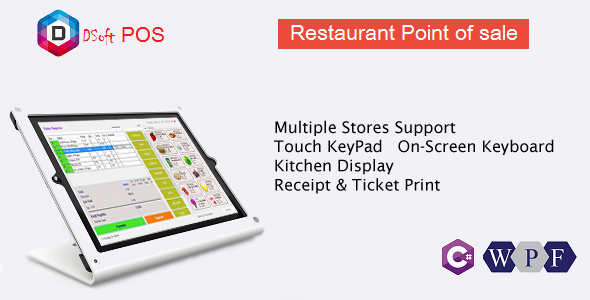
Sistem Tempat Penjualan Restoran
| Video Panduan Pengguna 2.0
| Pratinjau langsung 1.0.2 Memperbarui
FAQ
Restaurant POS adalah aplikasi Desktop berbasis C #, WPF, XAML. Dukungan Keyboard Sentuh di Layar. Penjual dapat memilih zona meja pertama dan memesan tampilan Dapur menunjukkan item Dapur

Kode Sumber Penuh Termasuk
Setelah Download Anda akan mendapatkan file .cs, .xaml, SQLITE .db dan MySQL Database Script
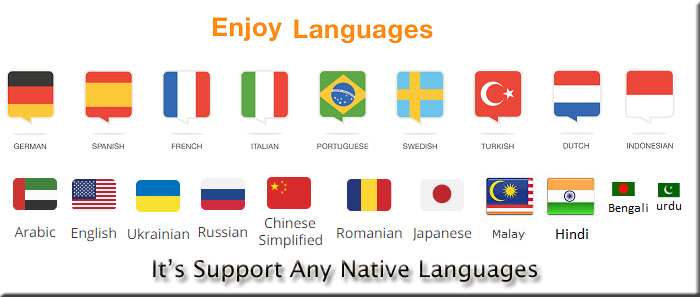
Sekarang bahasa asli yang didukung: inggris, spanyol, arab, hindi, cina, perancis, jerman belanda, portugis, turki, rumania, italia, swedia, khmer, jawa, malay, bengali, urdu, jepang, rusia, ukraina.
GST yang dapat disesuaikan (standar India)
PAJAK / PAJAK GST 18% = (PAJAK Saat Ini di POS Istirahat ini)
- CGST = (PAJAK / 2)% = 9%
- SGST = (PAJAK / 2)% = 9%
- IGST = PAJAK% = 18%
Dapatkan Versi SQL server

Ini cocok untuk semua ukuran Restoran secara khusus
- Restoran POS
- Untuk Restoran dengan tampilan dapur
- Manajemen penjualan
- Manajemen Stok
- Manajemen Restoran
- Sistem Pemesanan Restoran

Info -> citkar@live.com
Kebutuhan
- Microsoft.NET Framework 4.5
- Windows xp, 7, 8, 8.1 dan 10 (Mendukung semua versi windows)
- Pasang jaring konektor Sqlite
Mengubah log
    -Vs 3.2.1  17 Feb  2019
    *Review - activation

    -Vs 3.2  29 March 2018
    *ADD NEW - MySQL Database - now Working with SQlite and MySQL Database
    *MySQL configuration Documentation doc file with video tutorial
    *MySQL DataAccess

    =Vs 3.1  26 Feb 2018
    *ADD NEW - Hold order and print kitchen ticket
    *ADD NEW - Resume hold order - Sales-Register
    *UPDATE - Display Table is Booked or Free
    *UPDATE - Add New button into Kitchen Display to open New window for multiple monitor

    =Vs 3.0  22 Jan 2018
    *ADD - Currency symbol into receipt print page
    *ADD - Multi language World major 20 speaking languages included
    *User can add Unlimited language and convert to his native language
    *How to add Language resource file - Documentation

    =Vs 2.2  16 Dec 2017
    *NEW - SalesRegister first select Table zone
    *UPDATE - OLD SalesRegister with table back color
    *ADD - Custom table zone color.
    *ADD - User can select Sales Register style

    =Vs 2.1  12 Dec 2017
    *UPDATE - Sauce option, Options wise background color
    *UPDATE - Table order - admin can set table zone

    =Vs 2.0 -  03 Nov 2017
    *Add - Sauce option into Sales-Register
    *Add - Table layout, can select table no in order time
    *Update - User can add item after press payment
    *Update - Sales-Regsiter style changes.
    *Add - Direct sale, Back button to terminal
    *Add - Terminal and payment tab into Sales-Register
    *Add - Customer token number - Sales-Register, Receipt, Kitchen display
    *Add - Display logo on Receipt
    *Add - Admin can upload logo and change anytime
    *Check Video preview of update version

    =Vs 1.1  - 06 Sep 2017
    *Initial Release
[ad_2]
Source
Reviews
There are no reviews yet.