
Description
[ad_1]
Superfly responsif Plugin menu WordPress yang menghasilkan navigasi dorong/geser/statis vertikal yang hemat ruang, bilah alat ikon, atau menu layar penuh pilihan Anda. Ini dapat digunakan sebagai navigasi mandiri atau melengkapi menu utama Anda. Superfly membuat navigasi lebih mudah dan ramah pengguna baik di desktop maupun seluler. Konsep slide dalam menu vertikal yang terbukti di ponsel kini juga bersinar di desktop! Ini dapat digunakan sebagai selalu terlihat navigasi juga.
Antarmuka mouseover menghilangkan kebutuhan klik ekstra dan pengguna menampilkan menu dengan gerakan mudah dan tampilan cantik. Opsi klik masih tersedia. Di balik layar, hanya praktik terbaik industri yang digunakan untuk animasi dan performa yang mulus.
* * Add-on Bilah Alat Tingkat Lanjut untuk Menu Superfly telah dirilis! Anda bertanya, kami mengirim! * *
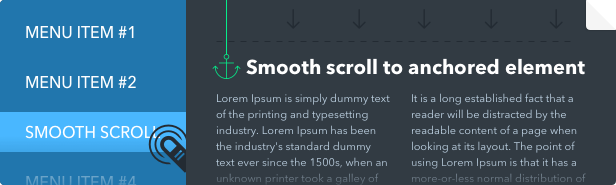
Dapat digunakan sebagai navigasi bagian untuk satu halaman situs (ketika item menu memiliki atribut href seperti href="#contact"). Superfly memberikan pengguliran yang mulus.
Geser dalam menu vertikal adalah aliran paling trendi dalam desain web saat ini. Sekarang pola navigasi ini hadir di WordPress dengan Superfly WordPress Menu Plugin. Ini sangat cocok untuk setiap situs modern.
Bagaimana itu bekerja:
Superfly duduk di sistem menu WordPress standar. Jadi Anda membuat menu WP standar (atau menggunakan yang sudah ada) di WP admin pada halaman Appearance/Menus dan kemudian Anda memilih menu ini pada halaman opsi Superfly sebagai sumber. Superfly menyuntikkan menu yang ditentukan di sidebar-nya. Anda juga memiliki opsi untuk menentukan menu alternatif menggunakan pemilih CSS jika Anda ingin menggunakan beberapa menu yang ada di halaman sebagai sumber untuk Superfly. Plugin tidak menggantikan menu tema yang ada. Dalam hal ini Anda harus menonaktifkan menu default di pengaturan lokasi menu atau menyembunyikannya dengan CSS sederhana (minta saran untuk ini dengan URL langsung Anda).
Fitur:
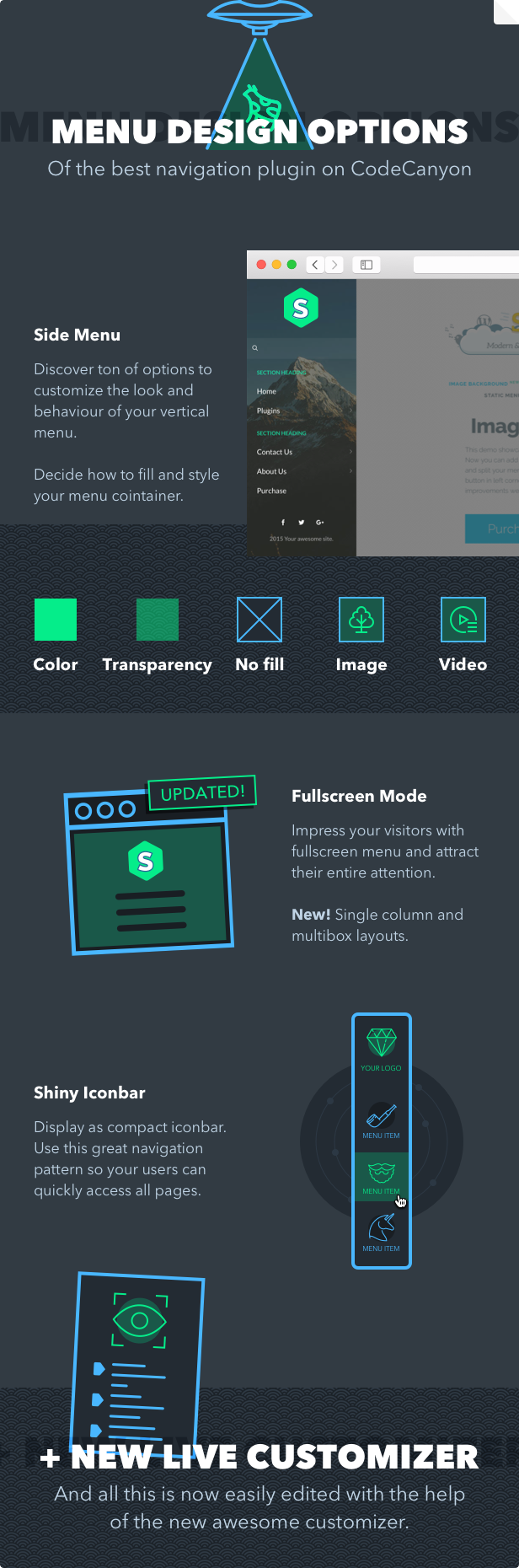
- Berbagai mode menu. Slide in menu, menu statis, navbar ikon ringkas, panel miring, mode layar penuh.
- Sesuai dengan GDPR. Plugin tidak menyimpan data pengunjung situs Anda.
- 100% Responsif. Superfly sangat cocok untuk berbagai ukuran layar.
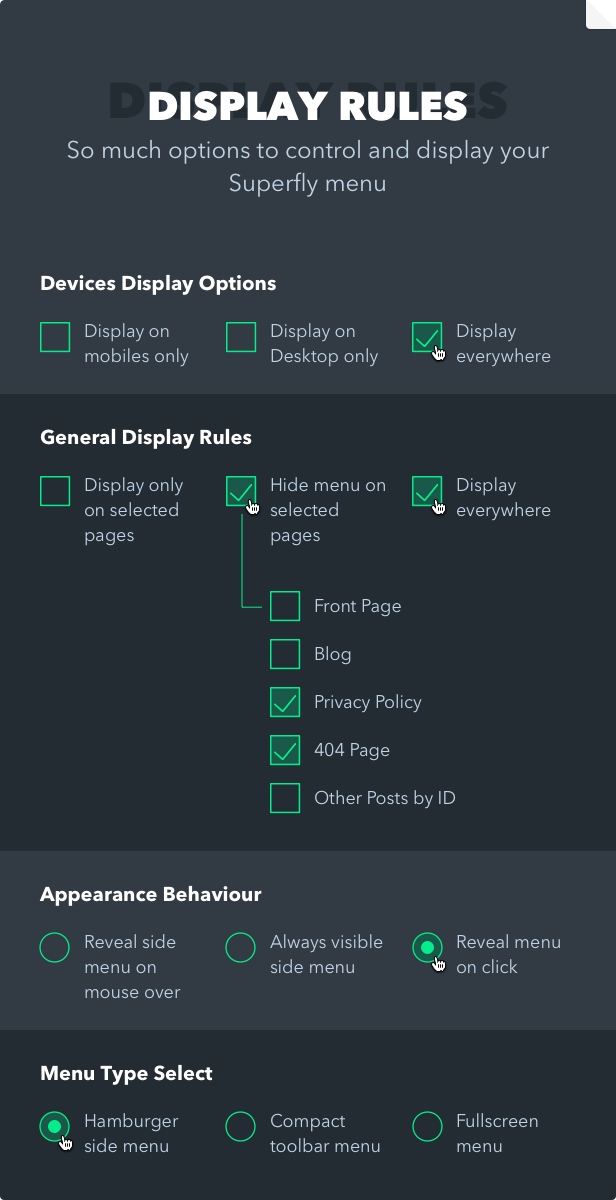
- Menampilkan kontrol. Tampilkan/sembunyikan di ponsel, tampilkan/sembunyikan di desktop, tampilkan di halaman tertentu, tampilkan untuk pengguna yang masuk, dll.
- Area konten. Gunakan editor teks kaya untuk menambahkan dan memberi gaya pada konten khusus atau kode pendek.
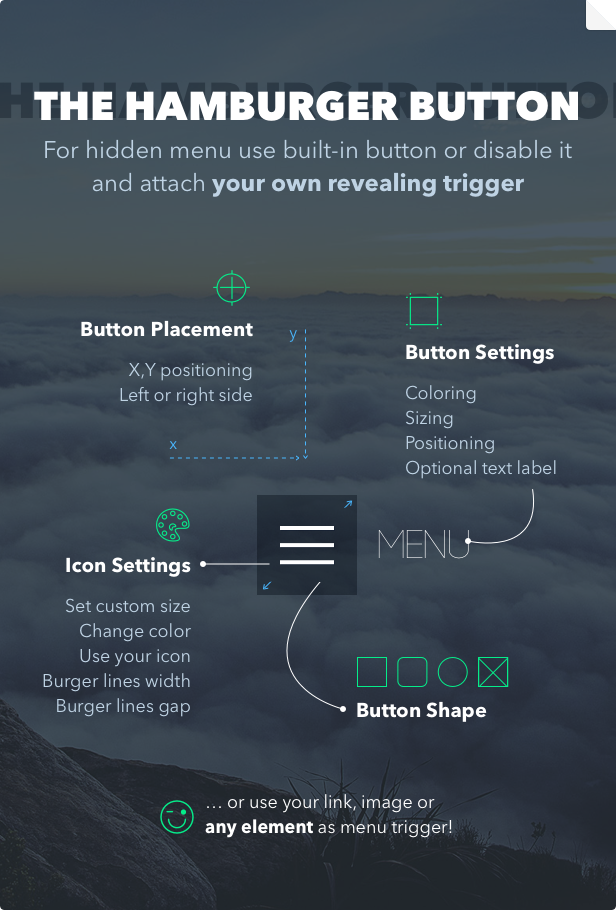
- Pengaturan pemicu. Opsi untuk menyembunyikan tombol menu default (label) dan beralih menu dari elemen apa pun seperti tombol, tautan, gambar, dll.
- Beberapa sumber menu. Lampirkan ke Superfly menu WordPress sebanyak yang Anda butuhkan.
- Pengaturan Google Font +. Pilih jenis font, ukuran, perataan, tinggi garis, warna, dan lainnya!
- Elemen kaya. Hiasi menu Anda dengan widget, kode pendek, atau html khusus apa pun.
- Menu gaya. Rancang item menu Anda dengan menambahkan gambar, bab, pemisah, ikon, teks baris kedua, dll. Ubah pengaturan font, warna, gambar latar belakang, logo Anda, dan lainnya!
- Dukungan menu multi-level (hingga 4 tingkat). Adaptasi yang tepat untuk desktop dan perangkat seluler.
- Bagian menu. Kelompokkan item menu Anda ke dalam bagian logis dan beri gaya pada judulnya.
- Gulir halus. Fitur kecil tapi hebat terutama untuk situs web satu halaman. Dapatkan pengguliran yang mulus ke elemen jangkar Anda.
- Label diperbaiki ke konten. Tombol dapat digulir dengan konten dan mengambangnya dinonaktifkan.
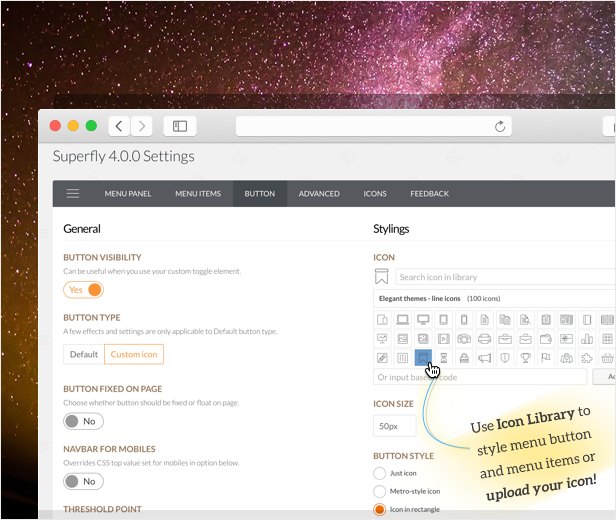
- Perpustakaan ikon. Gunakan set ikon pra-instal atau unggah milik Anda ke item menu gaya dan tombol menu.
- Opsi perilaku. Seperti mendorong konten atau tidak, membuka saat melayang atau mengklik dll.
- Dukungan seluler yang ditingkatkan. Gunakan Superfly di semua perangkat atau seluler saja. Anda bahkan dapat menambahkan bilah navigasi dengan logo Anda untuk ponsel cerdas. Gesek juga didukung.
- Pengaturan tombol menu kaya. x, y posisi, warna dasar dan ikon, label teks, ukuran, ikon kustom dan banyak lagi!
- Animasi yang indah. Sangat dioptimalkan dan dibuat dengan CSS3 murni.
- Panel admin yang nyaman. Desain bersih, struktur sederhana yang mudah dipahami, dan banyak pilihan praktis digunakan.
- Bilah sosial. Facebook, Twitter, Instagram, Pinterest, Google+, Pinterest, Dribbble, YouTube, Vimeo, SoundCloud, Skype, RSS, email.
Saran pengguna:
Jika Anda menyukai Plugin Menu WordPress Superfly tetapi tidak memiliki fitur penting yang Anda perlukan, jangan ragu untuk memintanya! Jangan pergi diam-diam. Kami mendengarkan saran Anda. Umpan balik apa pun dihargai. Silakan isi formulir yang sangat singkat di bawah ini, hanya membutuhkan waktu 1 menit. Terima kasih!
Berikan umpan balik dan tingkatkan menu Superfly secara signifikan.
Masalah Dikenal
Browser Chrome memiliki beberapa gangguan yang merender latar belakang tetap (lampiran latar belakang: diperbaiki aturan) setelah transformasi CSS diterapkan (yang terjadi saat plugin mendorong konten). Latar belakang menjadi statis dan berkedip. Ini tidak dapat diperbaiki sampai pengembang Chrome memperbaikinya untuk browser mereka. Plugin menerapkan solusi untuk kasus ini ketika elemen body memiliki latar belakang tetap. Untuk elemen lainnya, ini menerapkan lampiran latar belakang ‘statis’ di Chrome. Anda dapat menggunakan animasi slide out alih-alih mendorong konten jika Anda ingin latar belakang Anda diperbaiki.
Tidak ada dukungan RTL saat ini.
Untuk Pengembang
Harap perhatikan bahwa Lisensi yang Diperpanjang tidak memungkinkan Anda untuk menjual kembali plugin kami dengan tema Anda secara default. Kamu harus Hubungi kami dan dapatkan izin tertulis dari kami. Juga Anda mungkin menemukan menarik untuk belajar Halaman penawaran di situs web kami. Terima kasih!
Persyaratan
– PHP 5.3+ dengan ekstensi ZIP diaktifkan (satu baris di php.ini)
– jQuery 1.7+
– Tema Anda harus mengikuti standar dan menambahkan kelas WP ke item menu
Changelog
Versi 5 Terbaru
[5.0.24] Fix: Issue for menu item image selector on menus page
[5.0.23] Update: Google font select
[5.0.22] Update: DIVI theme jQuery defer compatibility
[5.0.21] Update: Small change for PHP 8
[5.0.20] Update: Code styling standards improved
[5.0.19] Update: Improved responsiveness
[5.0.18] Update: For icon library and latest WP
[5.0.17] Update: For some outdated code
[5.0.17] Fix: For responsiveness
[5.0.17] Update: For jQuery deprecated code
[5.0.17] Update: For Mac OS "Big Sur"
[5.0.16] Update: Compat for latest Mac OS version - Big Sur
[5.0.15] Change: using original image instead of thumbnail in menu items (to preserve gifs)
[5.0.14] Fix: for search form on multilingual sites
[5.0.13] Change: icon manager compatibility with server specific security settings
[5.0.12] Fix: production build fix
[5.0.10-11] Fix: Some admin settings did not being saved
[5.0.9] Change: Responsiveness breakpoints
[5.0.8] Change: Conflicted code in Safari when button doesn't appear
[5.0.7] Change: Tabindex accessibility setting for menu items
[5.0.6] Fix: Small CSS fix for fullscreen submenu
[5.0.5] Fix: Admin JS fix for rare case
[5.0.4] Fix: Small CSS fix
[5.0.3] Change: Improved compatibility with Disqus comments plugin and Rev Slider 6
[5.0.2] Change: Improved compatibility with Revolution slider previews
[5.0.1] Change: Improved compatibility with Oxygen builder
---
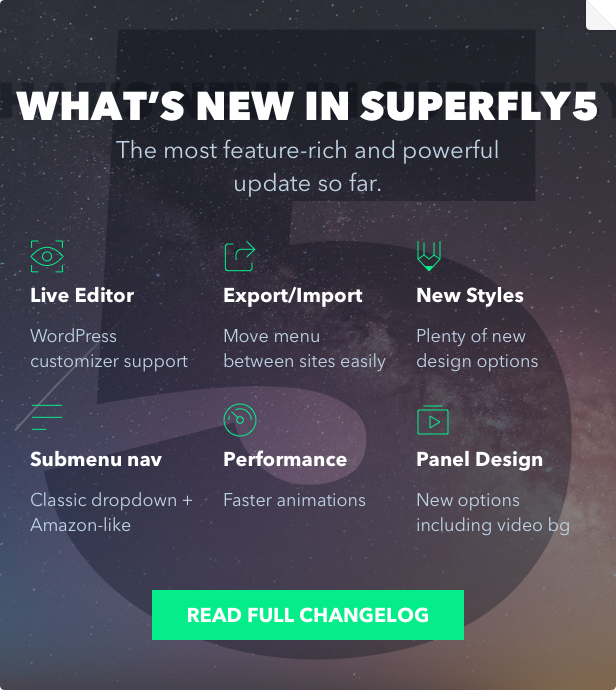
[5.0] Feature: WordPress customizer support
[5.0] Feature: Video background
[5.0] Feature: Export/import settings
[5.0] Feature: Fullscreen single column and multibox layouts
[5.0] Feature: Submenu navigation ( classic dropdown & amazon like)
[5.0] Change: Faster animations
[5.0] Feature: Highlite color setting
[5.0] Feature: Letterspacing setting
[5.0] Feature: menu items ordered list style 01,02,03
[5.0] Feature: Social icon style (icons or abbreviations)
[5.0] Feature: Semitransparent BGs
[5.0] Change: More styles for menu items hover
[5.0] Change: Responsiveness (remove any device dependencies in code)
[5.0] Change: Menu closes when link is clicked
[5.0] Change: Map menu to specific page IDs
[5.0] Change: Accessibility improvements
Versi 4
[4.5.10] Change: compatibility with Divi backend editor
[4.5.9] Feature: setting to disable dynamic font size calculation for Fullscreen mode
[4.5.8] Change: compatibility with latest version of Salient theme
[4.5.7] Fix: for right hand menu position and submenus with custom content opening
[4.5.7] New: advanced setting for interval between mouse events
[4.5.6] Fix: disabling submenus on mobiles setting
[4.5.5] Tweak: adjusting event timeout on submenu mouseover
[4.5.4] Fix: admin white page in some cases in latest WordPress version
[4.5.3] Tweak: more advanced language mapping rules
[4.5.3] Fix: subscription to news list
[4.5.2] Tweak: language mapping rules
[4.5.1] UI: Add-ons tab in admin
[4.5.0] Feature: Compatibility with upcoming extension
---
[4.4.0] Fix: For Icon manager uploading custom fonts on some servers
---
[4.3.6] Fix: Menu mapping settings for languages (show menu only for specific language)
[4.3.5] Fix: RSS & Skype icon
[4.3.4] Update: Contact form 7 support
[4.3.3] Fix: for Skype and RSS icons
[4.3.2] Fix: search icon was mistakenly replaced in previous version
[4.3.1] Tweak: Instagram icon updated to latest version
[4.3.1] Tweak: further responsive layout adjustments
[4.3.0] Tweak: layout calculation adjustments
----
[4.2.1] Fix: Firefox 52 animation glitch for menu items disappearing
[4.2.0] Fix: icon upload/deletion error
----
[4.1.10] Tweak: custom content close indicator on mobiles
[4.1.9] Tweak: improved responsiveness when resizing window
[4.1.8] Tweak: improved fonts loading
[4.1.7] Tweak: handling for PHP warnings in admin in some use cases
[4.1.6] Fix: icon removal for menu items now functioning
[4.1.5] Tweak: navbar mode now fallbacks to standard menu on mobiles so multilevel menus can be used
[4.1.4] Fix: Rare usecase when saving settings in admin doesn't work
[4.1.3] Fix: Activation by purchase code usecase
[4.1.2] Tweak: Icon fonts loading in admin and admin performance
[4.1.1] Fix: CSS fix for usecase with small amount of menu items and skewed panel
[4.1.1] Feature: Checking on activation that ZIP extension is enabled for server PHP
[4.1.0] Feature: Plugin activation for future auto-update functionality
[4.1.0] Tweak: More compatibility with themes tap custom events
--
[4.0.8] Fix for visible body padding when menu is not on page and always visible mode is on
[4.0.7] Various minor improvements
[4.0.6] Fix: on WPML sites incorrect logic for location rules
[4.0.5] Correction: location rules for default menu now have lower priority than specific rules
[4.0.5] Fix: Plugin didn't work in Internet Explorer when icons are used
[4.0.4] Fix: Logo on mobiles was broken in previous version
[4.0.3] Fix: Mouseover menu opening didn't work properly
[4.0.2] Fix: Some switchers in admin settings didn't work
[4.0.1] Feature: Default menu can be set if you use multiple menus
[4.0.1] Fix: CSS fixes for always visible sidebar mode and copyright area
[4.0.0] Feature: Multiple Superfly menus per one website.
[4.0.0] Feature: New "Skewed" panel design.
[4.0.0] Feature: Icon manager tab with icon uploading feature.
[4.0.0] Feature: Custom button icon & label.
[4.0.0] Feature: Custom icon for any menu item.
[4.0.0] Feature: Google Fonts selection.
[4.0.0] Feature: New design settings for default hamburger button.
[4.0.0] Feature: Horisontal shift for menu button.
[4.0.0] Feature: Two additional content areas for menu! Add custom content above & under your logo.
[4.0.0] Feature: Rich-Text editor for content areas.
[4.0.0] Improvement: More social profiles and contacts in social bar. Pinterest, Dribbble, YouTube, Vimeo, SoundCloud, Skype, RSS, e-mail.
[4.0.0] Improvement: Color selection for non-brand icons on social bar e.g. email icon.
[4.0.0] Improvement: Admin UI/UX reworked.
Versi 3.x
[3.2.6] Compatibility with jQuery Mobile if it's used in theme
[3.2.5] Fix for Contact Form 7 compatibility
[3.2.5] Fix for case when using custom menu on page as source
[3.2.4] CSS minor change
[3.2.3] Improved compatibility with Divi theme
[3.2.2] Fix for submenu indicators setting
[3.2.1] Fix for custom menu source handling (when source is menu on page)
[3.2.1] Fix for submenu indicators setting when no indicators chosen
[3.2.0] Fix for broken content delivery in branch 3.1.x (it made button not open menu in some cases)
[3.1.3] [BROKEN] Fix for rare usecase when using # empty links in menu and page transitions
[3.1.2] [BROKEN] Further fix for conflict with Revolution slider in version 3.1.0-3.1.1
[3.1.1] [BROKEN] Fix for mobile detection in version 3.1.0
[3.1.1] [BROKEN] Fix for conflict with Revolution slider in version 3.1.0
[3.1.1] [BROKEN] User suggestions form added in admin
[3.1.0] Minor performance improvements
[3.1.0] Fix for scrolling menu on Android/Win Mobile devices
[3.0.6] Minor CSS tweak for fullscreen mode and button flickering when it's on right side
[3.0.5] Improvements for touch events on Android devices and specifically for Android Firefox
[3.0.5] Font Awesome 4.5 icons added
[3.0.4] Improvements for mouseover mode
[3.0.3] Fix for setting for copyright text ("2015 Your awesome site" always stayed)
[3.0.2] Close button inside sidebar removed when mouseover interface is used for opening menu
[3.0.2] CSS for double scrollbar usecase on Macs and close
[3.0.1] Hotfixes for 3.0.0
[3.0.0] Image background setting
[3.0.0] Iconbar mode for static menu
[3.0.0] Full-screen menu improvements
[3.0.0] Section headings setting
[3.0.0] Button new settings and behavior changed
[3.0.0] Lot of UI/UX tweaks
[3.0.0] Social buttons re-design
[3.0.0] Copyright area added in sidebar
Versi 2.x
- 2.1.13: Font Awesome CSS update
- Fix for usecase when menu links don't work with certain settings in 2.1.11
- Fix for site Font Awesome CSS inclusion in 2.1.10
- Font Awesome version 4.4 in 2.1.9
- Fix for fullscreen usecase with anchor links in 2.1.8
- Improvement for parent links containing only '#', they will open submenu (in 2.1.6-2.1.7)
- New setting for desktop menu behave like mobiles and slide down submenus (in 2.1.5)
- Fix for fullscreen menu padding on mobiles (in 2.1.4)
- Fix for case when WP installed not in parent URL and logo and search link to incorrect pages (in 2.1.3)
- Fix for search button click didn't submit form (in 2.1.2)
- Tweak for usecase for smooth scroll (in 2.1.1)
- Navbar threshold point added and its appearance logic changed
- Extension of standard Appearance/Menus page, you can add Superfly extra settings for menu items
- You can attach panels to menu items adding shortcodes or custom HTML in them
- Fullscreen mode
- Widget area in main sidebar
- Minor tweaks and fixes (in 2.0.1-2.0.4)
- Text settings to place in sidebar under logo or profile picture (in 2.0.6)
- Tweaks for specific usecases in 2.0.7 and 2.0.8
- Fixes for iPad for static view in 2.0.9
- Adjustments for iPad for submenus opening logic in 2.0.10-12
- Fix for IE9 for scrolling to elements from menu items in 2.0.13
- Fix for usecase when hash link directs to another page  in 2.0.14
- 2.0.15: Fix for bug with submenus opening in 2.0.14 version
- Fix for custom panel opening on mobiles when parent has blank link in 2.0.16
- Fix for overlay background in full-screen mode when window loses focus in 2.0.17
- Hashtag links improvements in 2.0.18
- Fix for disabled page scrolling usecase in 2.0.19
Versi 1.x
- New admin panel
- Fix for custom source menus in 1.6.2
- Font Awesome icons for menu items
- Smooth scrolling added for menus on one page sites
- Fix for mobiles usecase for submenu (in 1.3.2)
- Various tweaks and fixes
- New button style
- Semi-transparent background for panel
- Mobile version navbar as option
- Blur effect for main content on opening
- New sidebar style, menu always visible
- Adding unique IDs for menu items
- Responsiveness tweaks (in 1.1.1)
- Mobile version tweaks (landscape mode improved, expanding animations added)
- Fix for toggling menu from elements on page (earlier it only opens but not closes)
- Sticky highlighting of chosen menu items (while traversing submenus)
- Added background option from 30 BG images
- Push effect for content on submenus opening (in 1.0.7)
Anda mungkin juga menyukai:
[ad_2]
Source